
Removing a bank stops new updates through that connection. An institution can include several accounts, so check the account list before confirming.
If the bank simply needs you to sign in again, use Reconnect instead.
Does this cancel Vylo?
No. To stop subscription renewal, cancel your plan. To close your account and remove its data, use account deletion.
On the web
Find the institution
Open Accounts and check the accounts listed under the institution you want to remove.
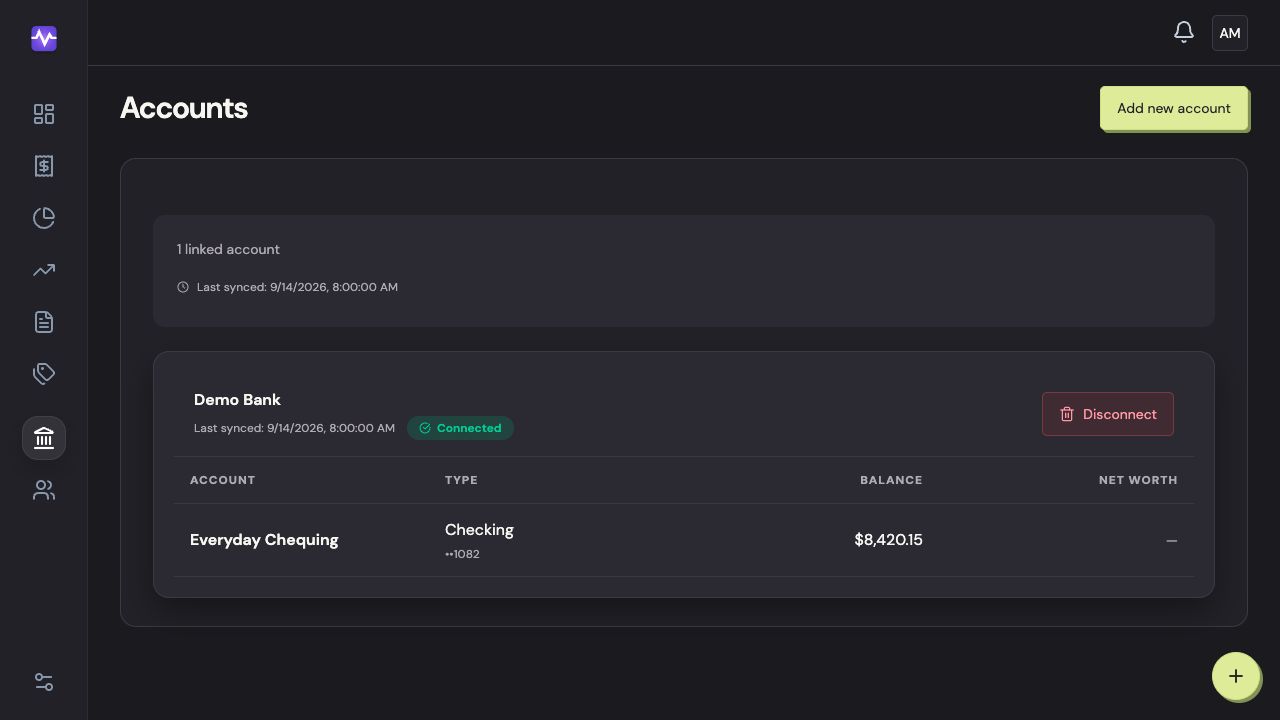
Find the institutionTap to enlarge Open the disconnect options
Click Disconnect beside that institution.
Open the disconnect optionsTap to enlarge Decide what happens to imported data
Read the confirmation. The additional checkbox removes imported transactions and changes their category totals. Confirm with Disconnect bank only when that is what you intend.
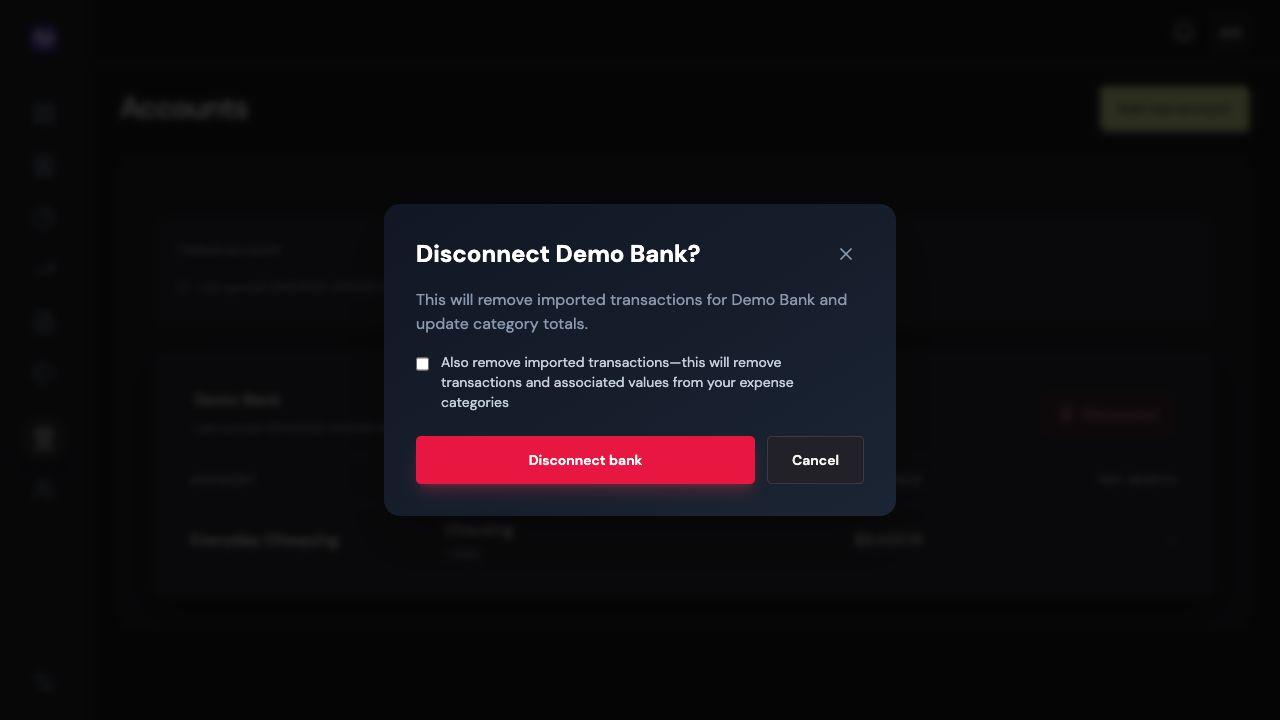
Decide what happens to imported dataTap to enlarge
On iPhone
For a full bank disconnection, sign in to Vylo in your browser and follow the web steps. The iPhone Accounts screen shows connection status and offers repair when a bank needs attention.