
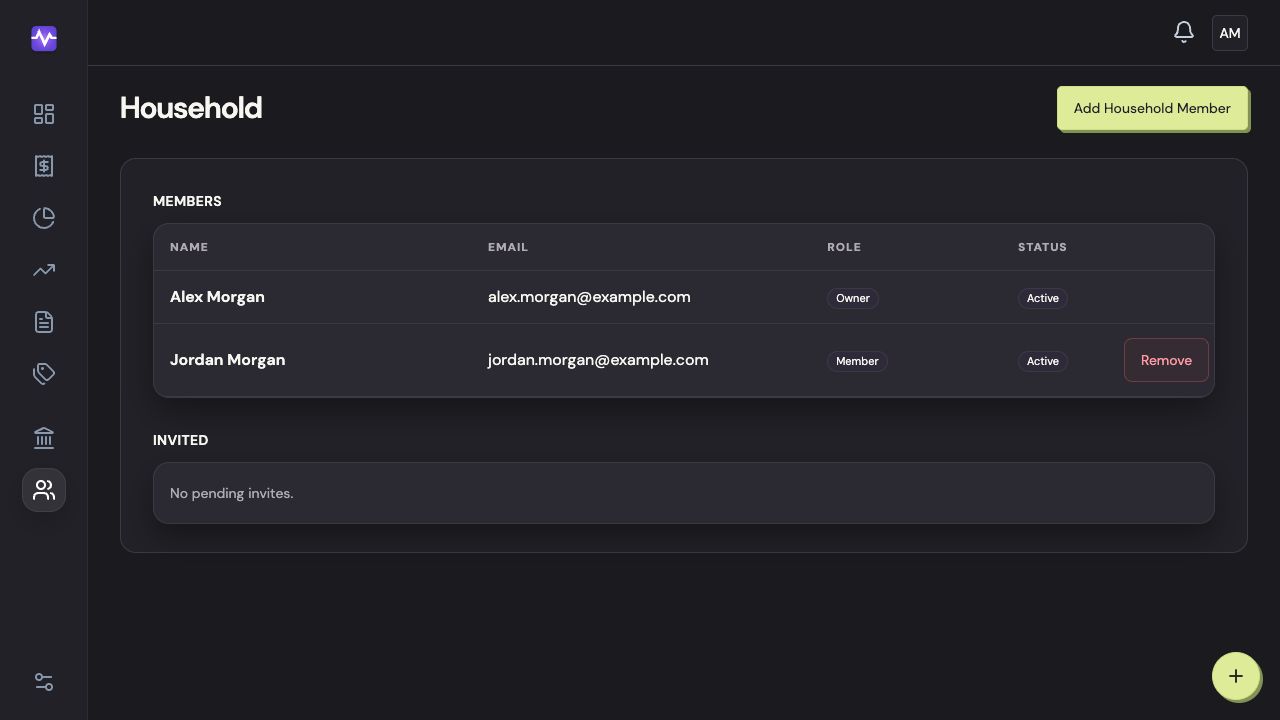
Household members are included in one subscription. The owner sends an invitation to the email address the person wants to use for Vylo.
The recipient should join through that invitation instead of creating a separate household. Once they join, you share the household’s accounts, transactions, categories, and budgets.
What if the invitation is still pending?
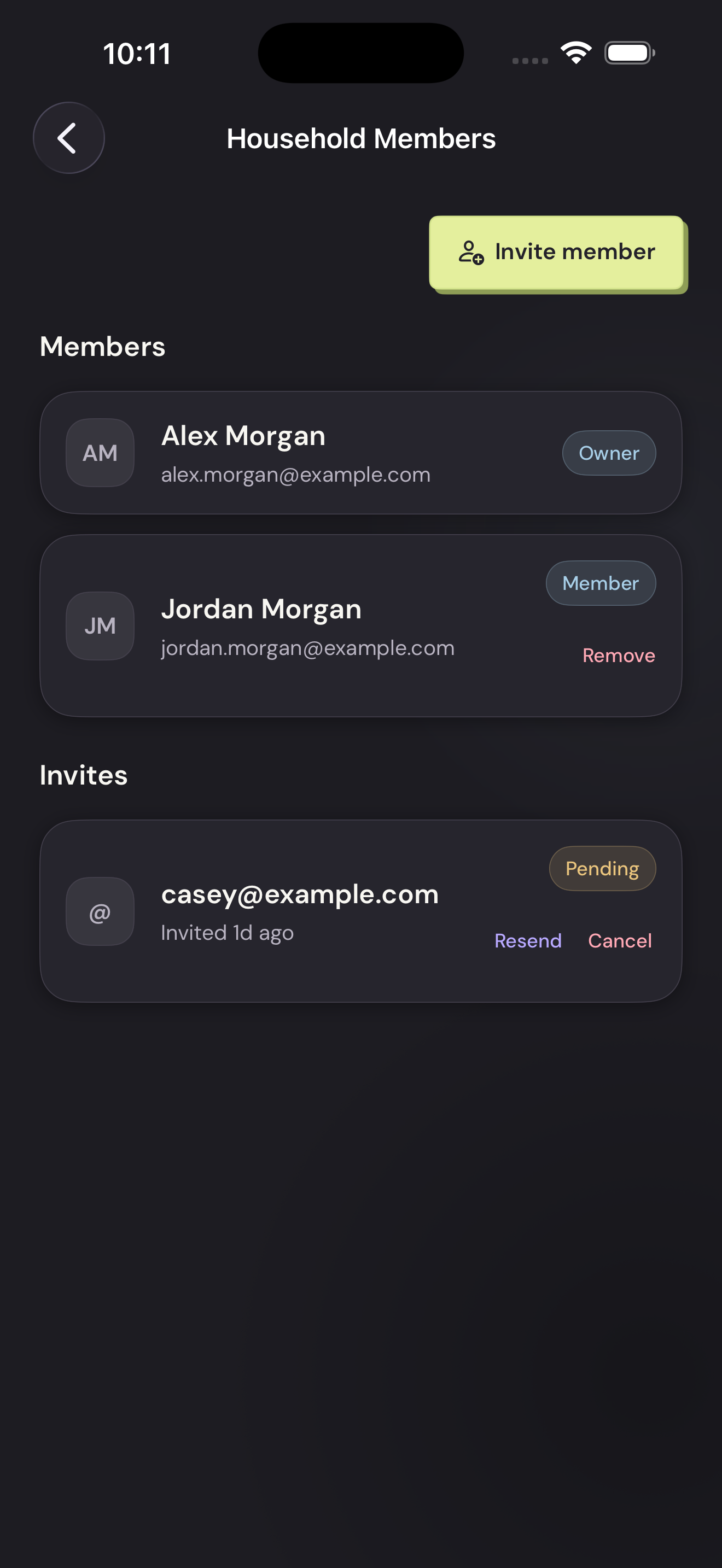
You can resend it from the member list, or cancel it if the address is wrong. Ask the recipient to check spam and use the newest invitation. More invitation help.
Before connecting a joint account, check whether it’s already in the household.
On the web
On iPhone
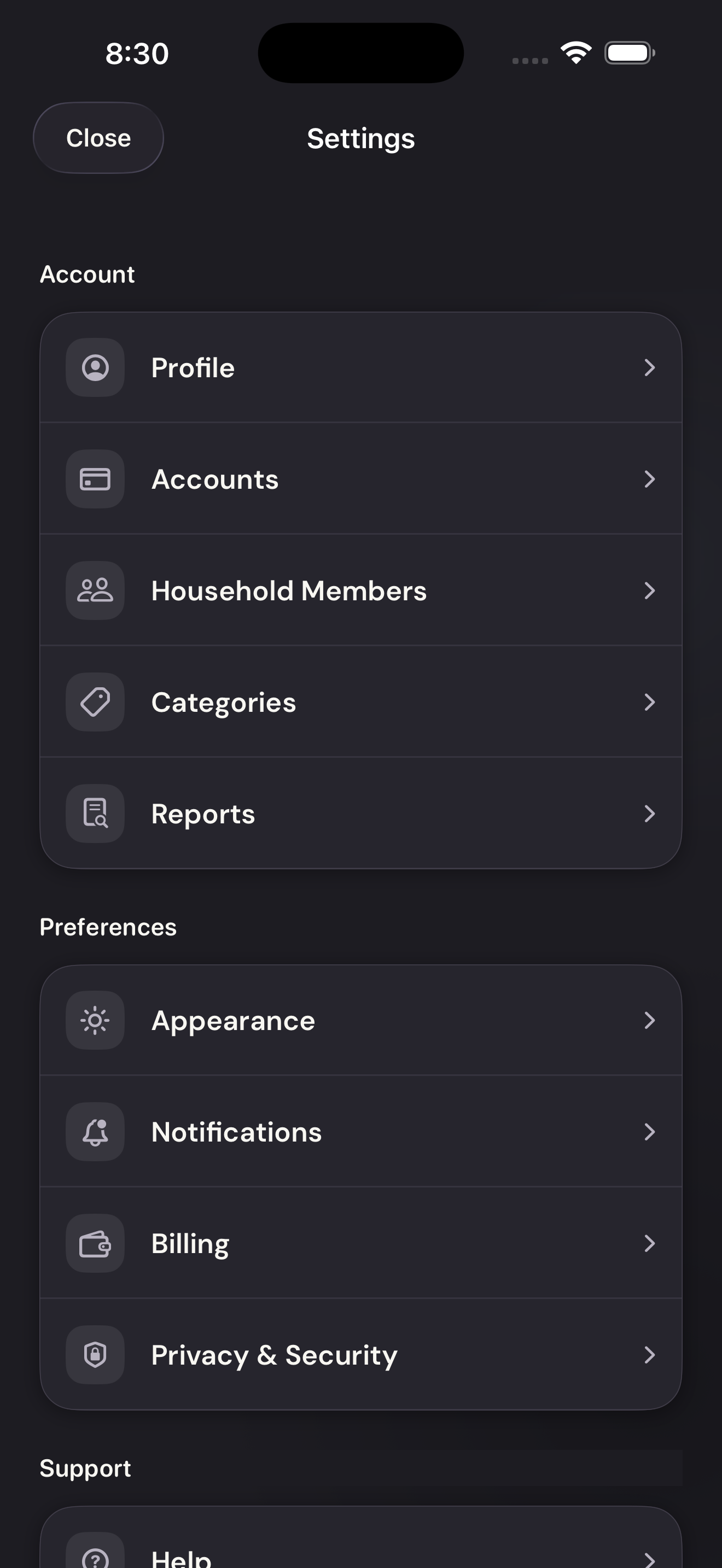
Open Household Members
Tap the settings control at the top right of the app, then Household Members.
Open Household MembersTap to enlarge Invite a member
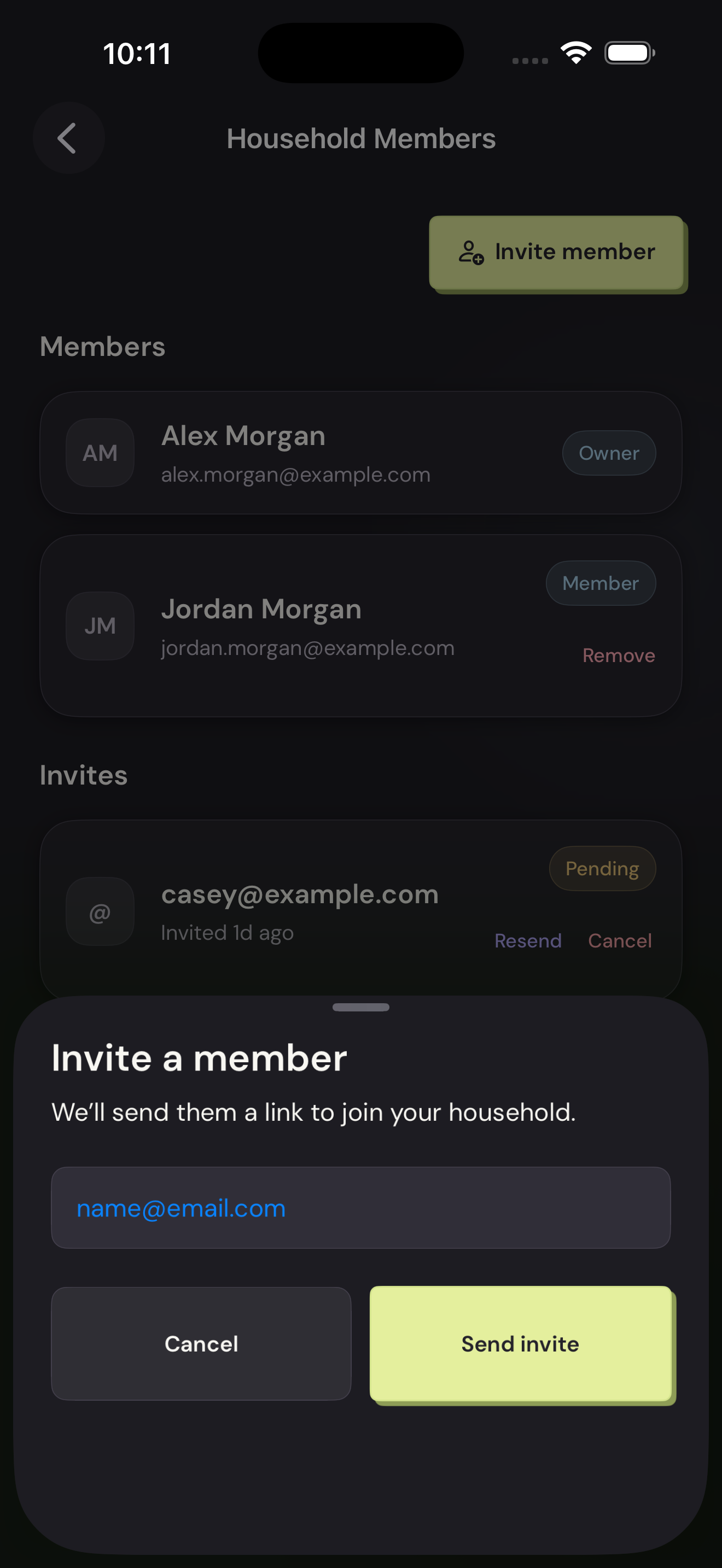
Tap Invite member above the member list.
Invite a memberTap to enlarge Send the invitation
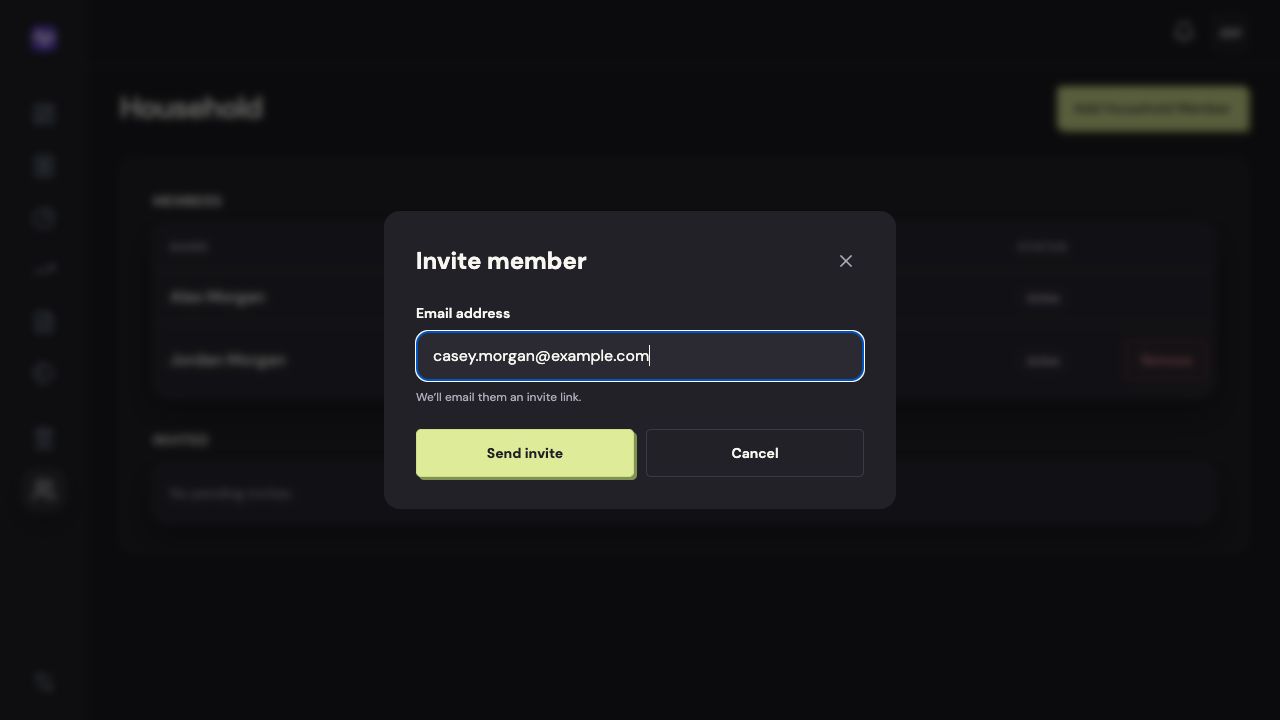
Enter their email address and tap Send invite.
Send the invitationTap to enlarge