
You can cancel renewal without emailing us. Settings → Billing tells you who manages the subscription.
For a paid subscription, cancellation keeps access until the end of the period you’ve paid for. Check the ending date after confirming.
If Apple bills you
Cancel through the Apple Account that purchased Vylo. On iPhone, open Settings → your name → Subscriptions → Vylo → Cancel Subscription. Apple shows an expiration message when a subscription is already cancelled. Apple’s cancellation instructions.
Deleting the app or your Vylo account does not cancel Apple billing. For an App Store subscription, cancel at least 24 hours before renewal to avoid the next charge.
Why is there no cancel button in Vylo?
You may be a household member rather than the billing owner, Apple may manage the subscription, or renewal may already be off. Check the status in Billing.
If you still need help, email hi@myvylo.com with your account email and whether you pay through Vylo or Apple.
On the web
These steps are for a subscription purchased on the web. If Billing says Apple manages your plan, cancel with Apple instead.
Open Billing
Choose Settings, then Billing.
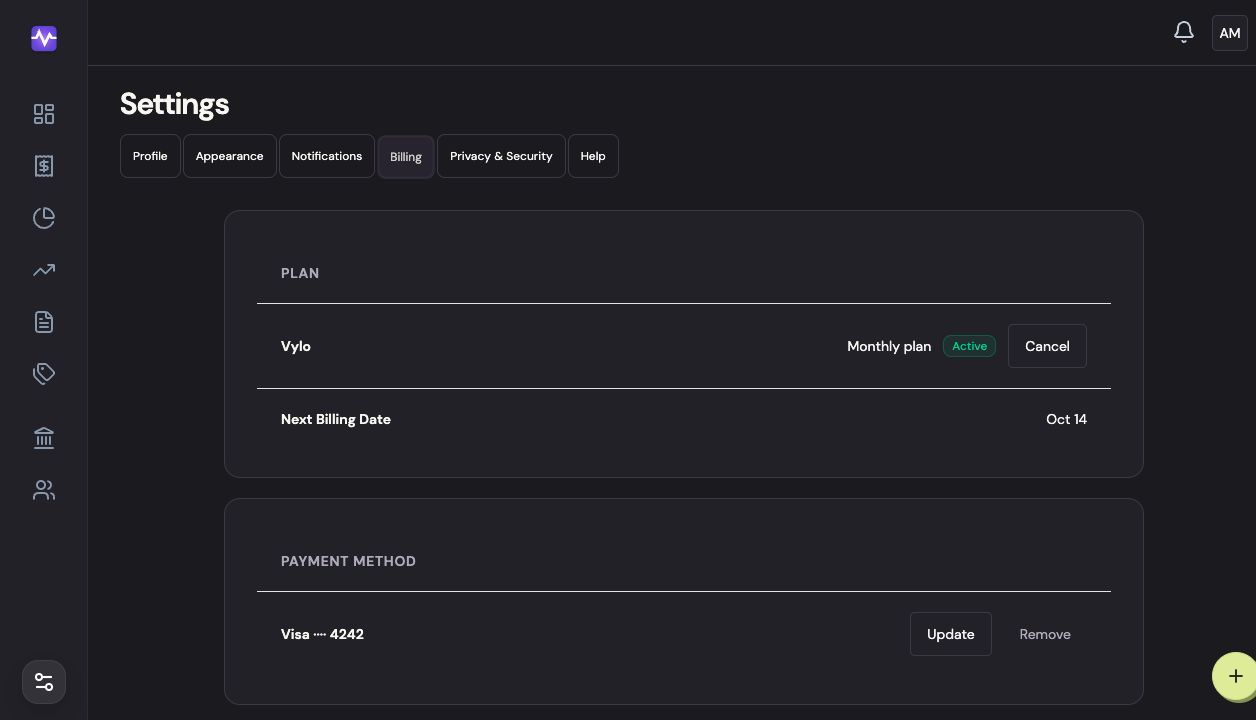
Open BillingTap to enlarge Choose Cancel
Click Cancel beside your active plan. This opens a confirmation.
Choose CancelTap to enlarge Confirm cancellation
Check the date your access ends. Click Cancel subscription to stop renewal, or Keep to leave it running.
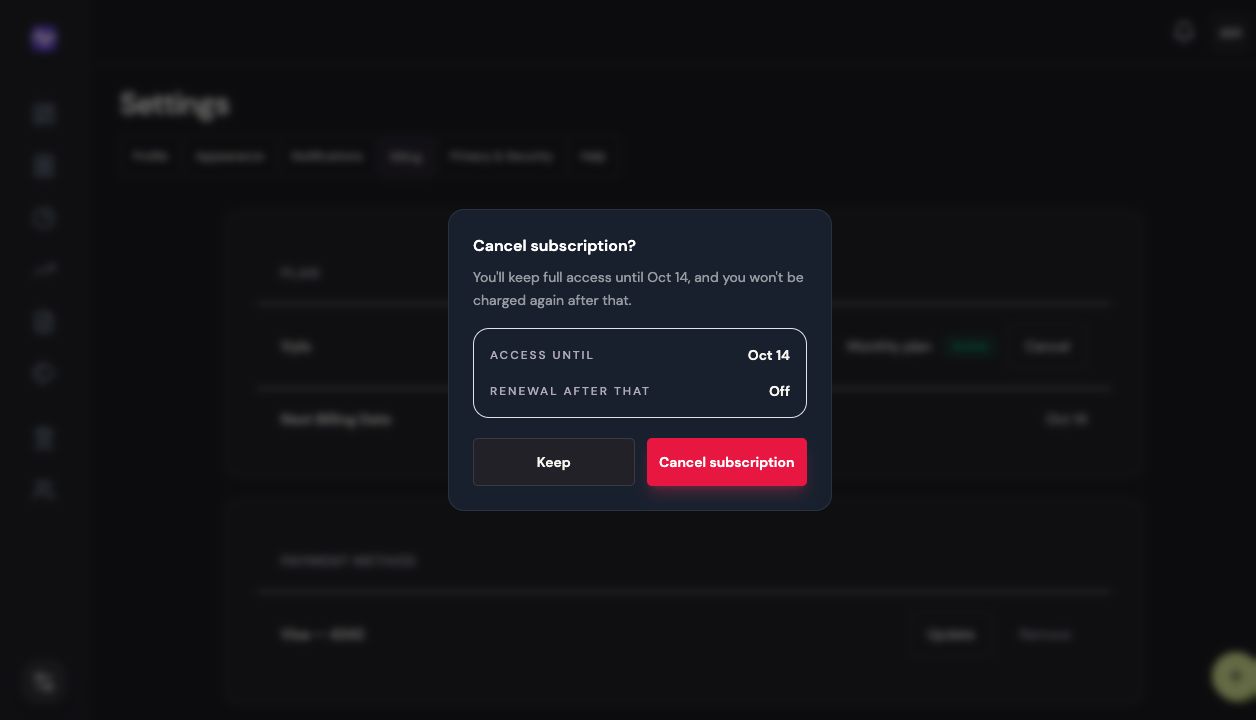
Confirm cancellationTap to enlarge
On iPhone
For an App Store subscription, complete cancellation in Apple’s subscription settings. If you subscribed on the web, open Vylo in your browser and use the web steps above.
Open Billing
Tap the settings control at the top right of the app, then Billing.
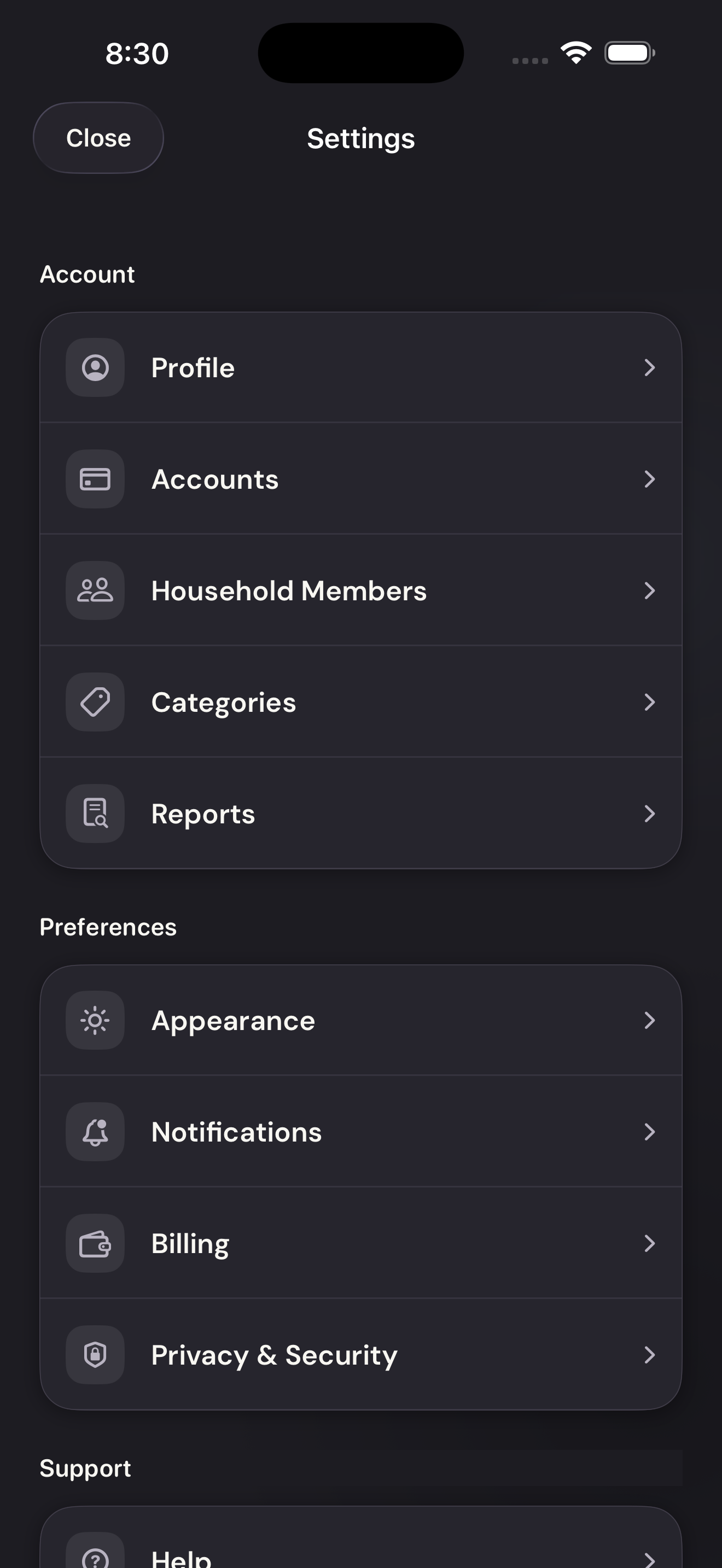
Open BillingTap to enlarge Open Apple subscription management
Tap Manage in App Store. Apple opens its subscription settings; choose Vylo to see its renewal and cancellation options.
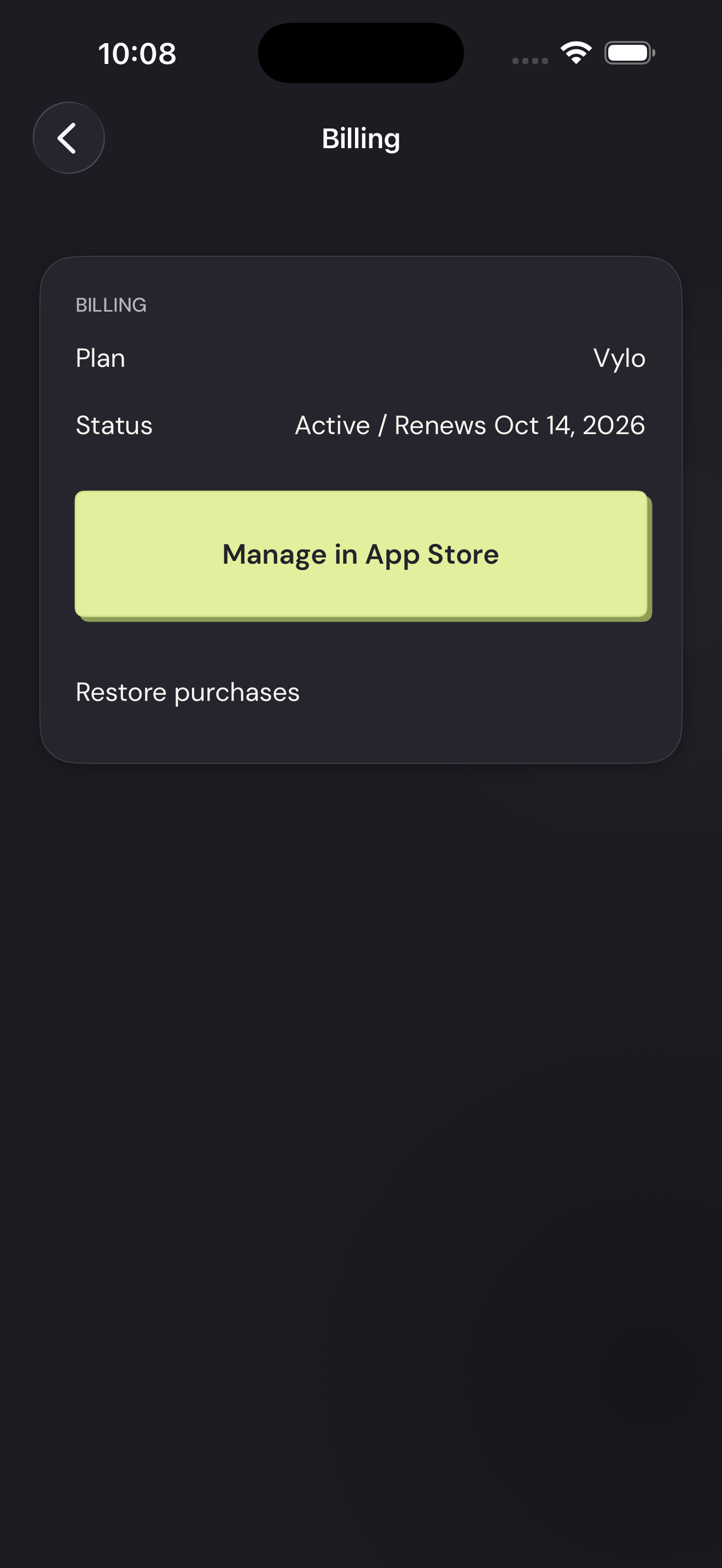
Open Apple subscription managementTap to enlarge