
Net Worth shows changes in the included account balances and manual values. Choose a period to see the available history.
When do trends become available?
Vylo needs seven consecutive days of net worth observations before trends unlock. Connecting a bank starts collecting those balances; it does not recreate a complete balance history from past purchases.
Why does the chart start recently?
Importing 90 days of transactions doesn’t guarantee 90 days of historical balances. A new connection or manually added asset may have much less balance history.
An empty earlier period isn’t a zero balance.
What explains a sudden jump?
A new account, an updated home value, a removed debt, or a duplicate item can change the total. Check the assets and liabilities before treating the change as income or investment performance.
On the web
Open Net Worth
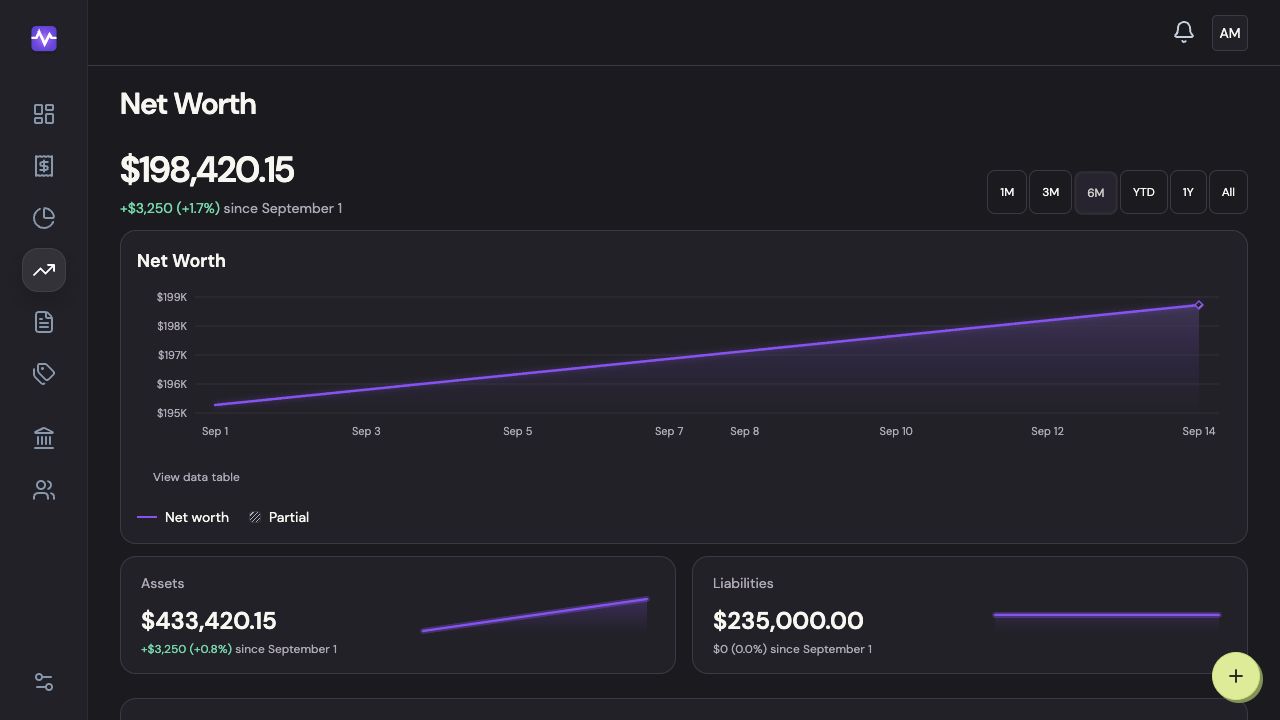
Choose Net Worth in the navigation.
Open Net WorthTap to enlarge Choose a period
Use the range buttons above the chart. Shorter ranges make recent changes easier to inspect.
Choose a periodTap to enlarge See the recorded balances
Use View data table for the figures behind the chart. Missing earlier history is not a zero balance.
See the recorded balancesTap to enlarge
On iPhone
Open the history view
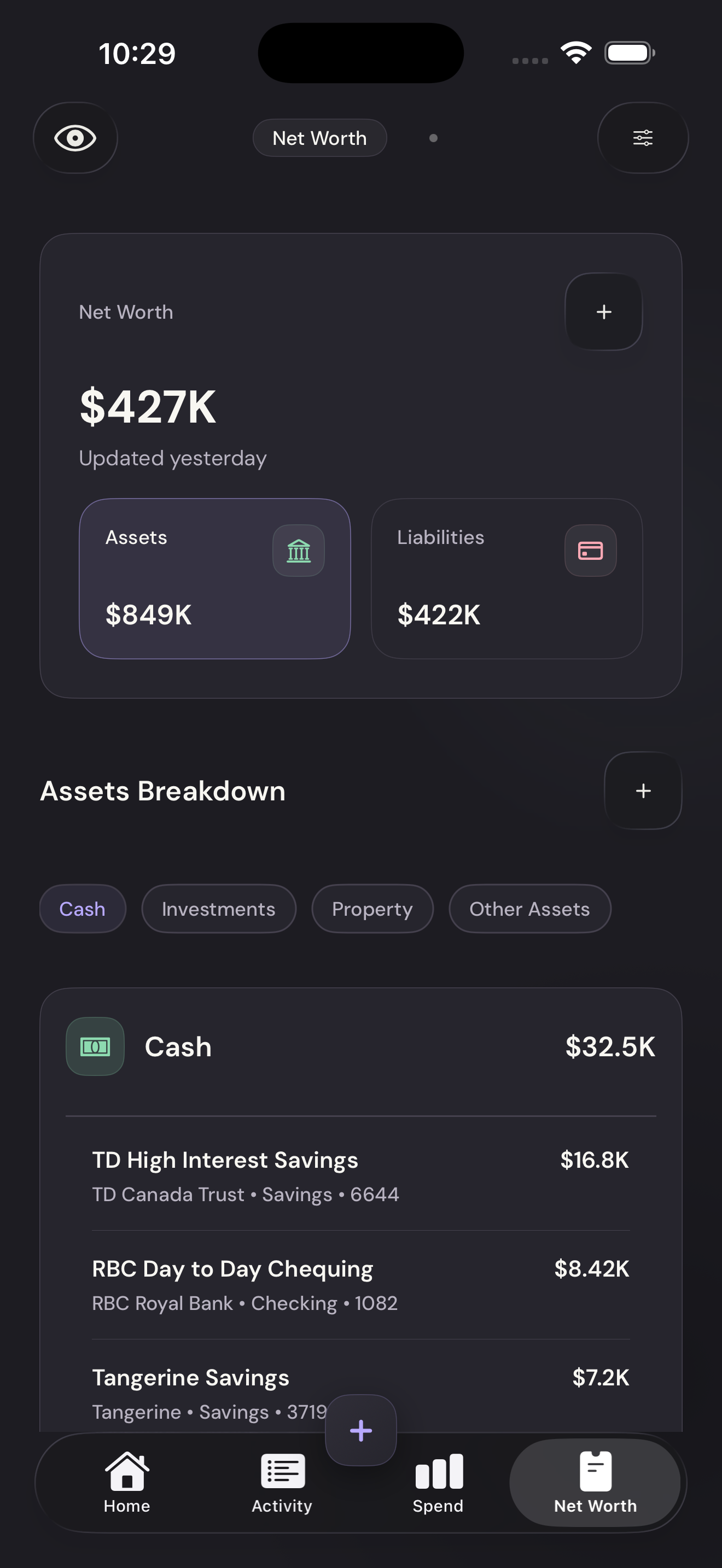
On Net Worth, tap the Net Worth/Trends switch at the top.
Open the history viewTap to enlarge Choose a time range
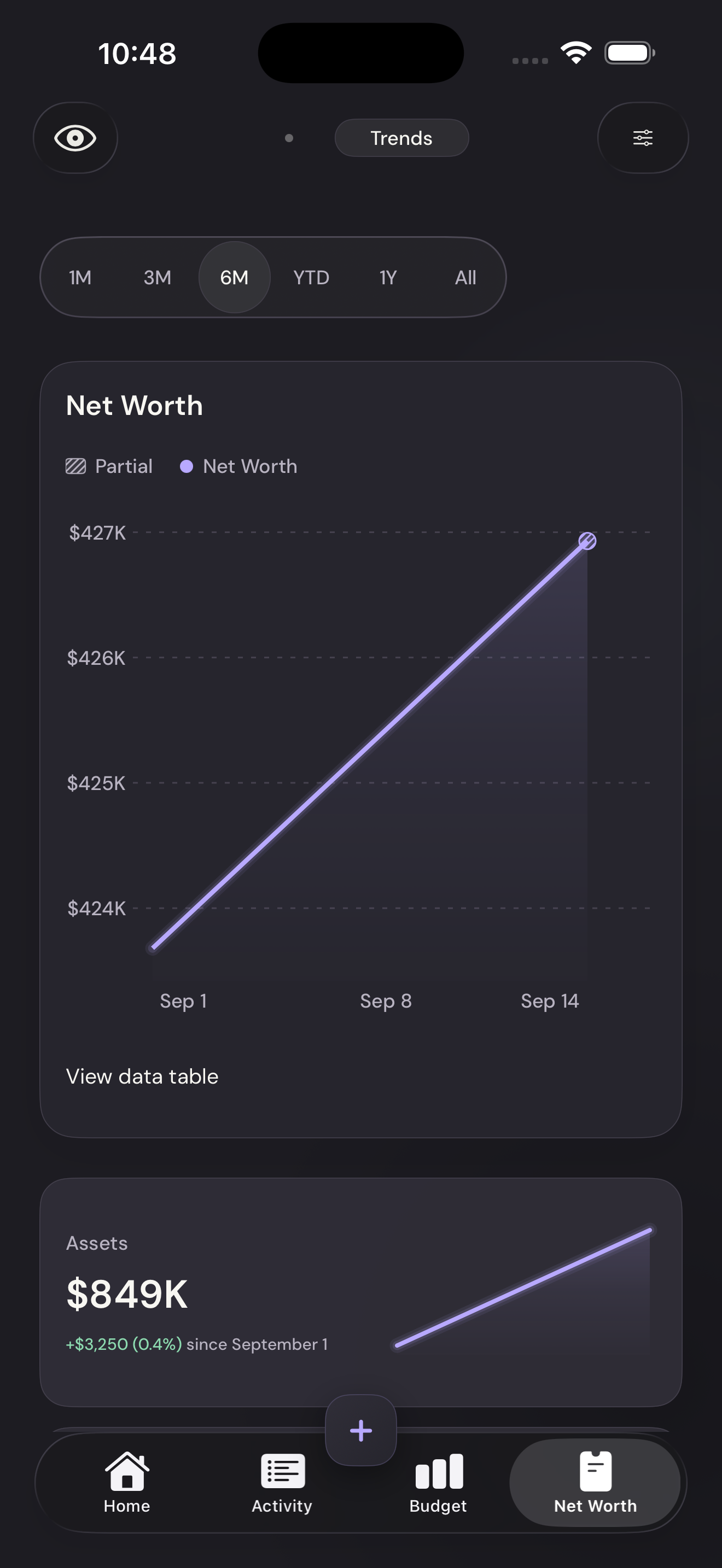
Select a range above the chart. The line follows the balance observations Vylo has collected.
Choose a time rangeTap to enlarge Read the numbers
Tap View data table below the chart to see the recorded balances.
Read the numbersTap to enlarge