
Check the selected month before editing. Changing a planned amount updates the comparison with spending; it doesn’t change the purchases already recorded.
If a category looks over budget because a transaction is wrong, correct the transaction instead of raising the budget to hide the difference.
Does this change other months?
Use the month and scope shown by the editor. Don’t assume an edit to this month changes earlier budgets. Check a future month separately when planning ahead.
On the web
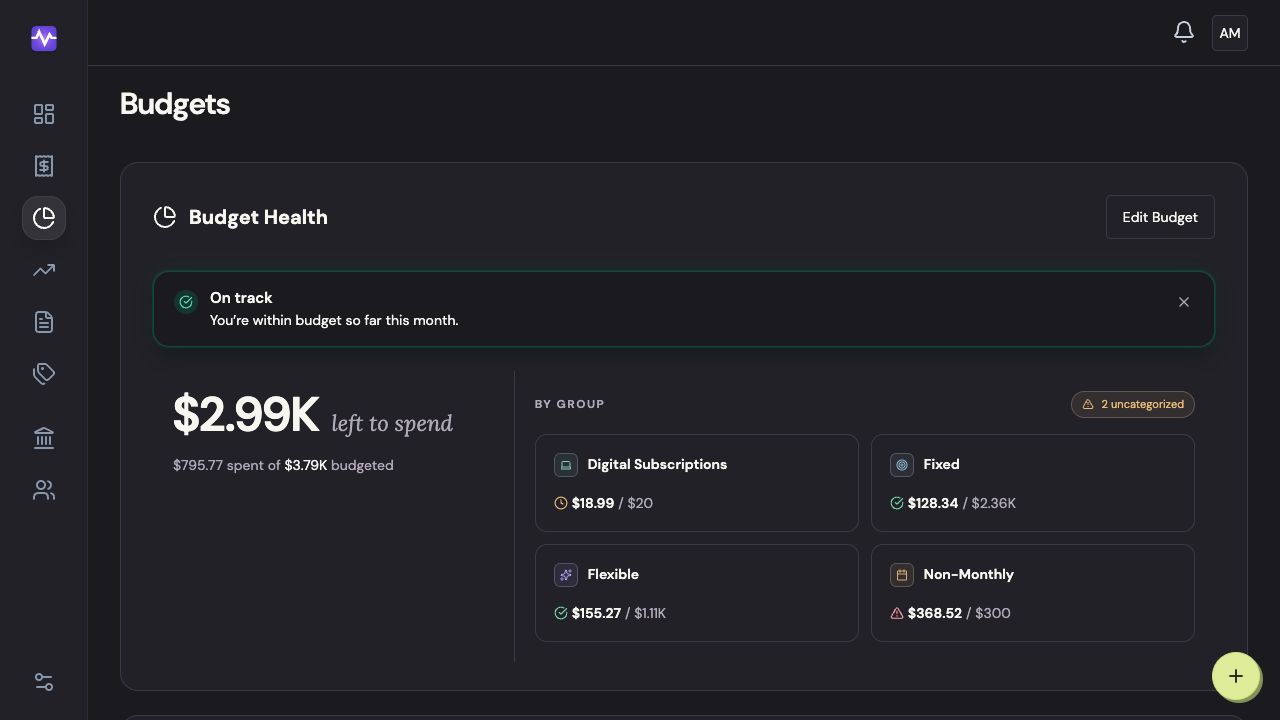
Open budget editing
Go to Budgets and click Edit Budget.
Open budget editingTap to enlarge Change the category amounts
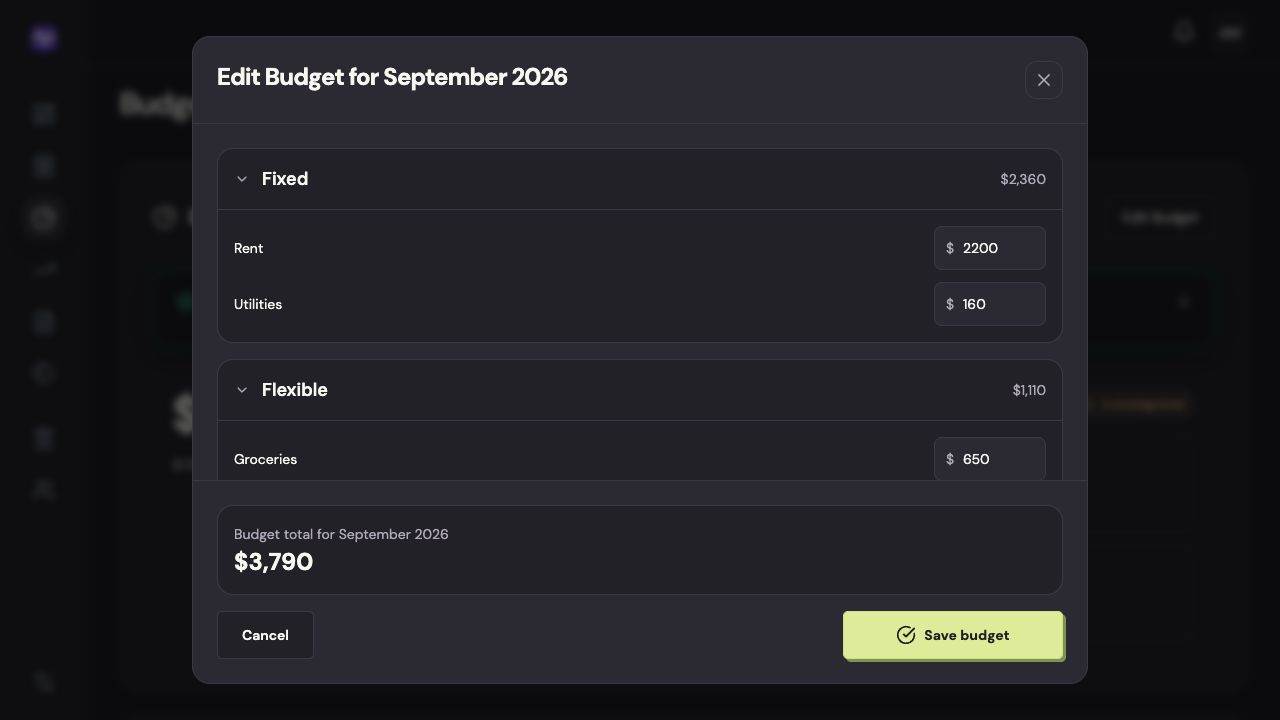
Enter the monthly amount beside each category you want to change. You can collapse groups to focus on one part of the budget.
Change the category amountsTap to enlarge Save the budget
Check the month in the heading, then click Save budget.
Save the budgetTap to enlarge
On iPhone
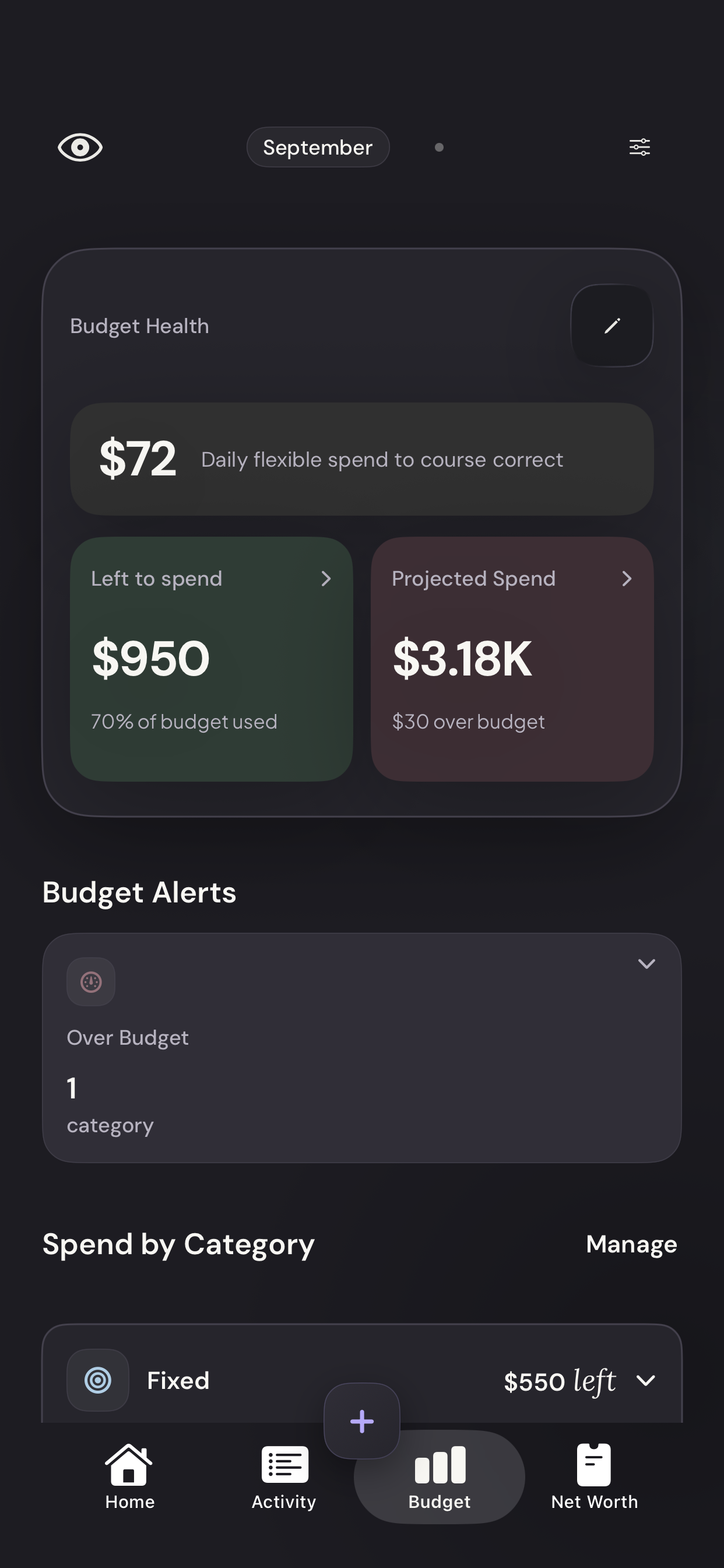
Open budget editing
On Budget, tap the pencil in the Budget Health card.
Vylo for iPhone · Demo dataTap to enlarge Change the amounts
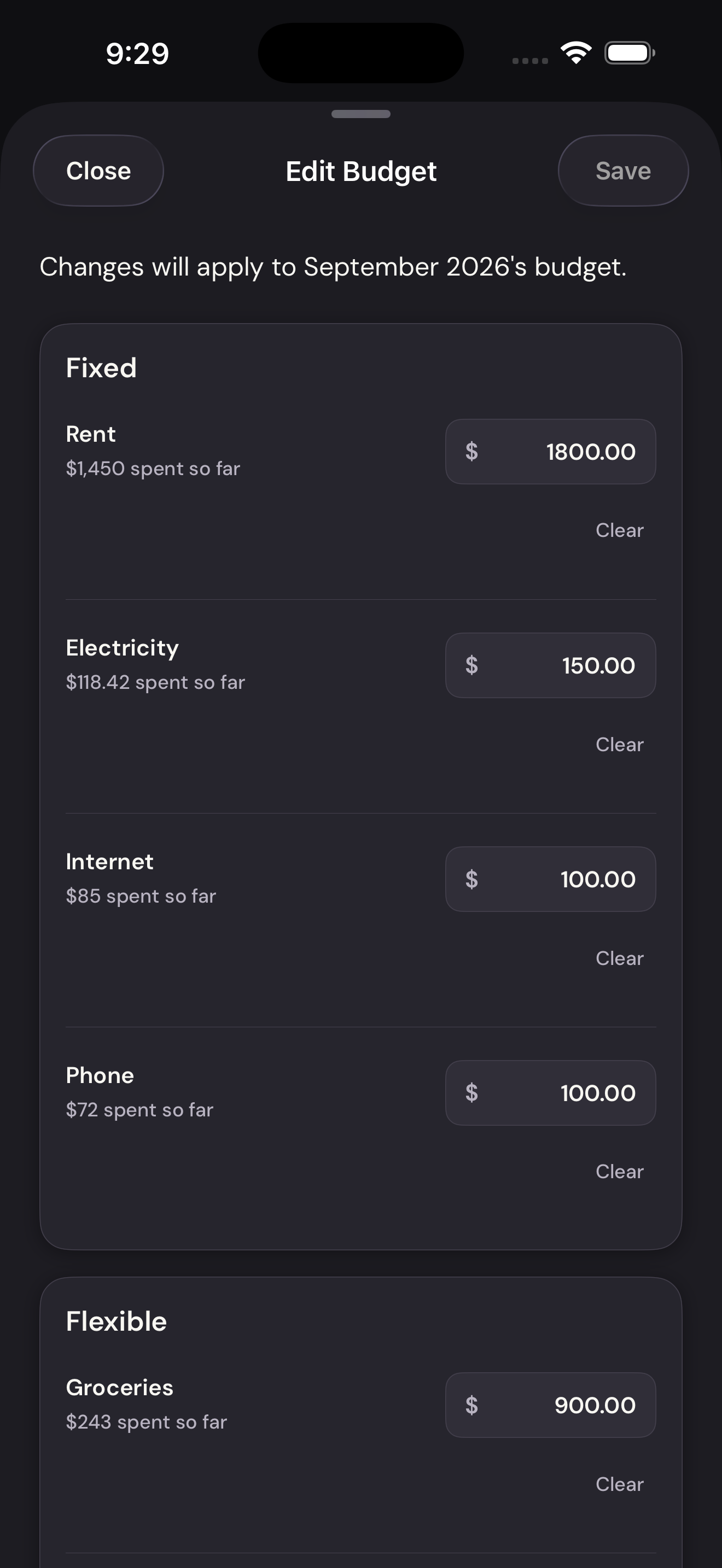
Edit the amount next to a category. Scroll for the remaining groups.
Change the amountsTap to enlarge Save the budget
Check the month above the category list, then tap Save.
Save the budgetTap to enlarge