
A manual asset or debt lets you include something in Net Worth that Vylo can’t update through a bank. Choose the correct type and enter its value or amount owed.
How do I keep it current?
On iPhone, open the item and edit its value when it changes. Manual values don’t update from a property website, lender, or valuation service.
A home and its mortgage are separate items. If the mortgage is already connected, don’t add a second manual copy of that debt.
On the web
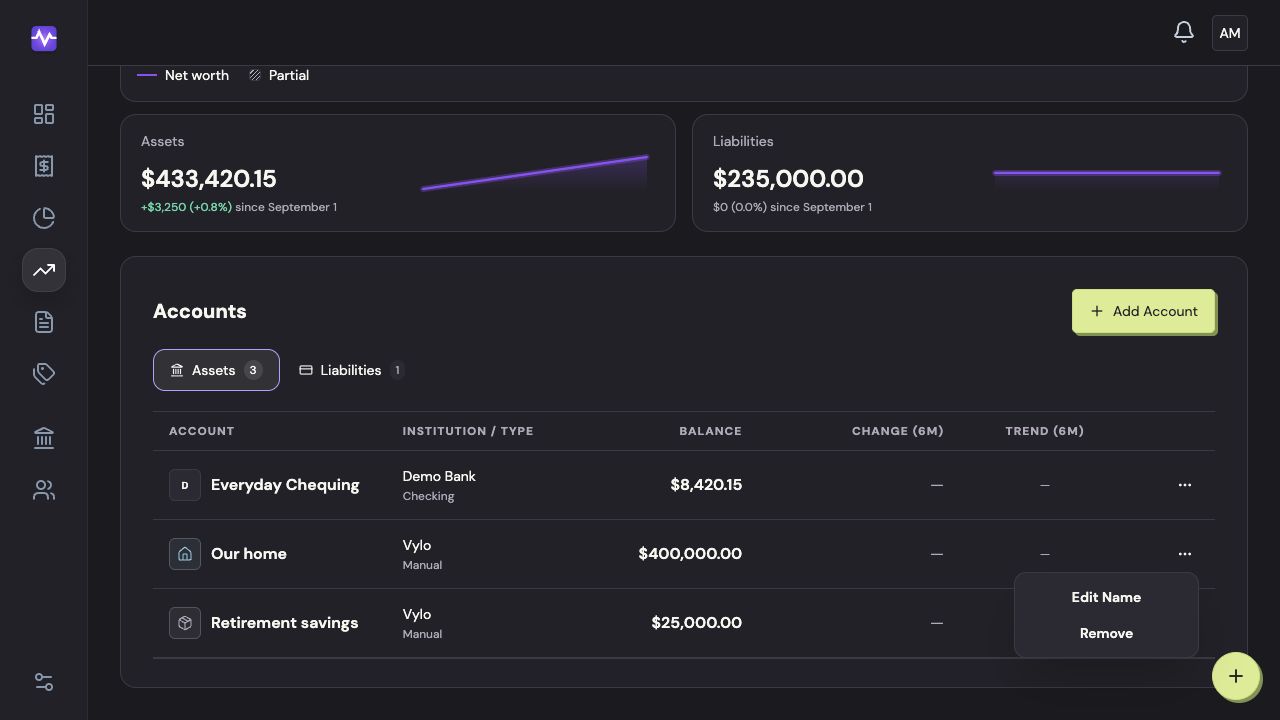
Use the iPhone app to add or update a manual asset or debt. On the web, Net Worth lists those items alongside connected accounts. The three-dot menu lets you rename or remove an item.
On iPhone
Open Net Worth
Tap Net Worth in the bottom navigation.
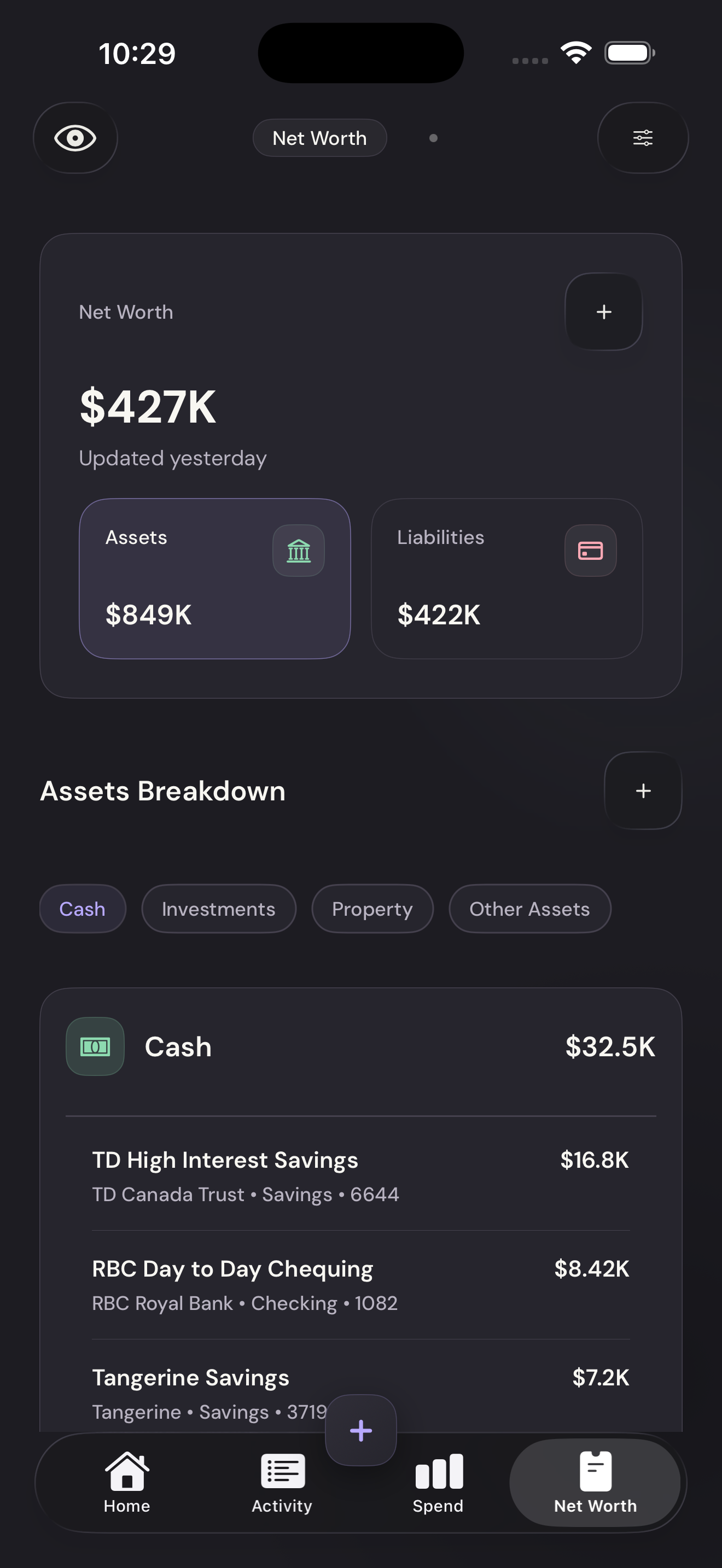
Open Net WorthTap to enlarge Add a manual item
Tap the plus beside Assets Breakdown.
Add a manual itemTap to enlarge Choose the type
In the form, tap Type and select the kind of asset or liability. Scroll for debt types.
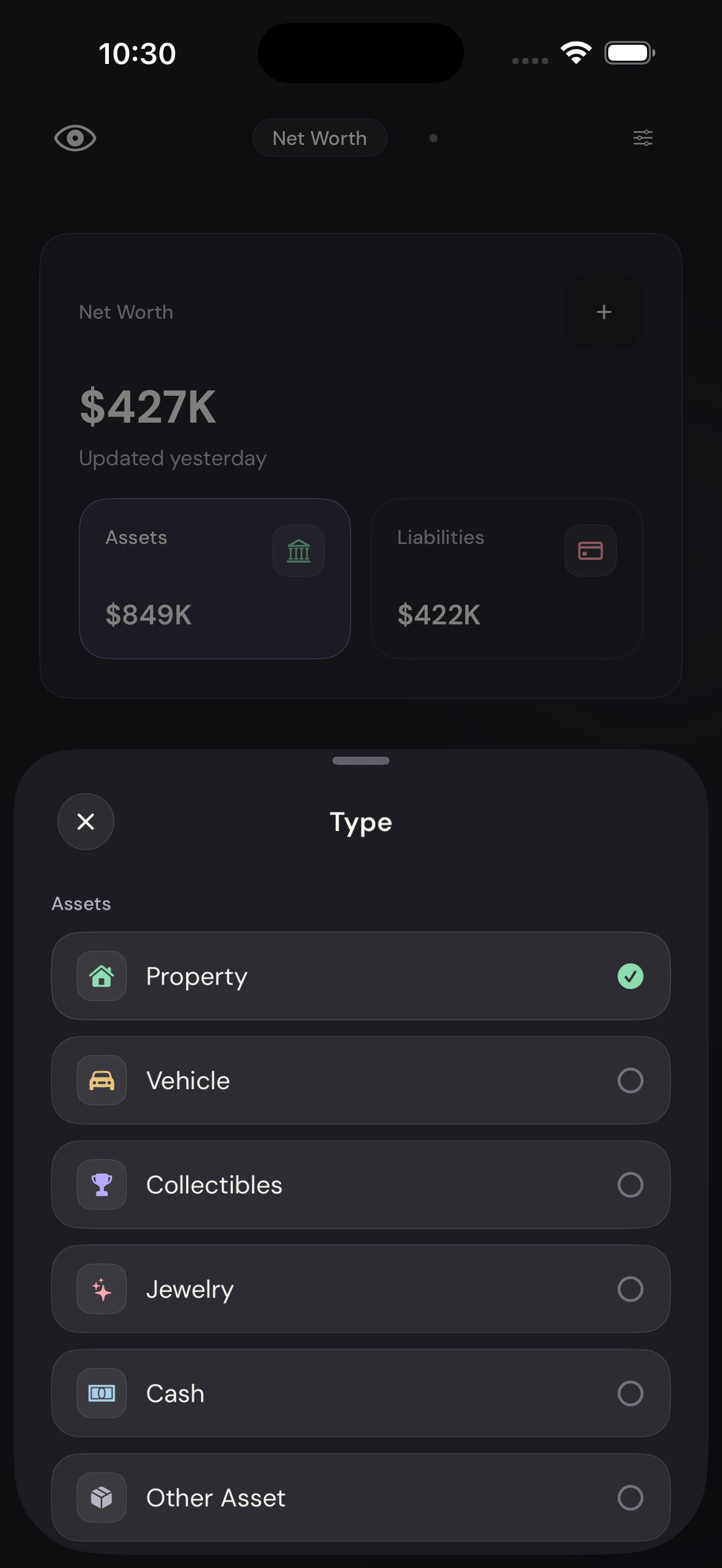
Choose the typeTap to enlarge Name and value the item
Enter a name you’ll recognize and its current value or amount owed.
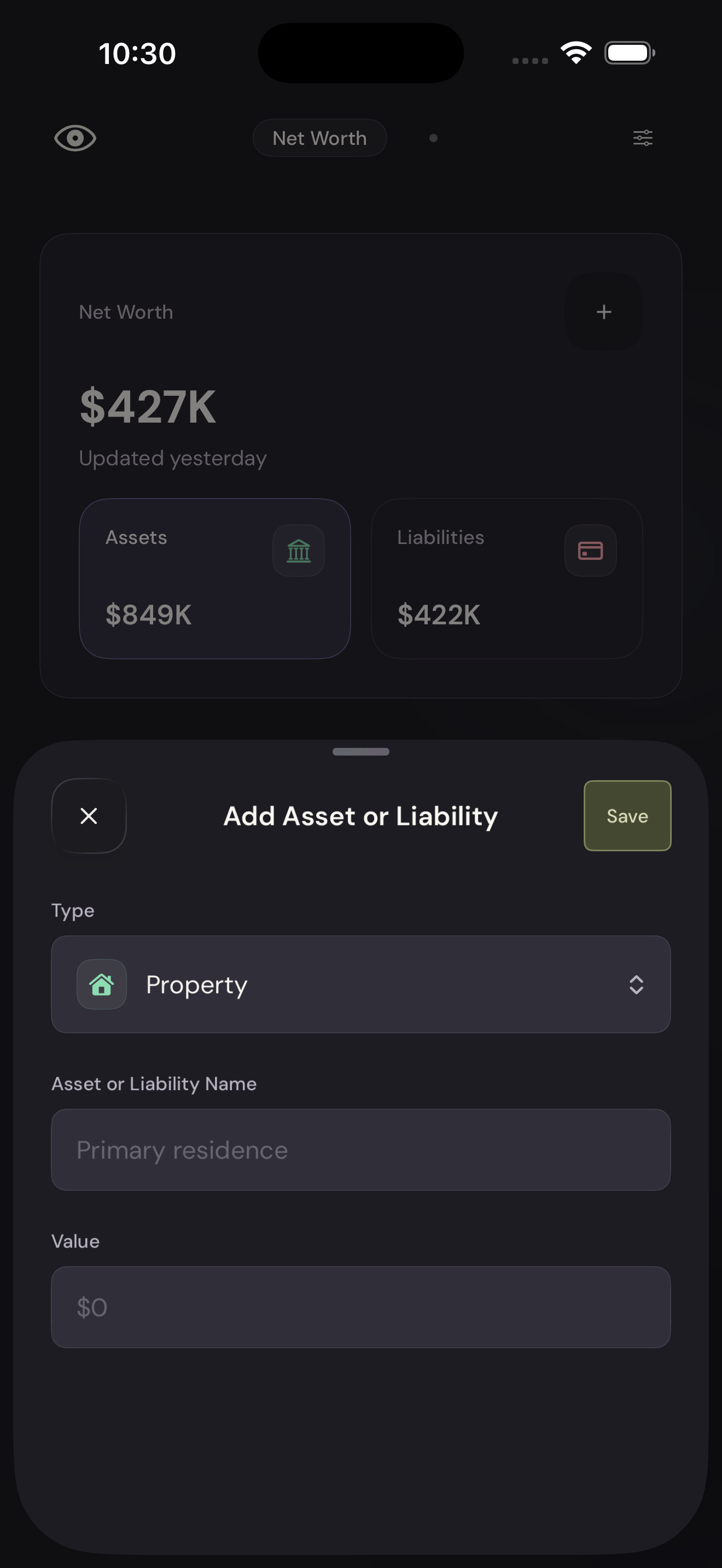
Name and value the itemTap to enlarge Save it
Tap Save. Open the item again when you need to update its value.
Save itTap to enlarge