
Manual transactions are useful for a cash purchase, a payment to a babysitter, or income from an account you haven’t connected.
The date you enter determines which month includes the transaction. Enter the merchant, amount, date, and category.
Will this duplicate a bank purchase?
It can. If you used a connected card, the purchase may still arrive automatically. Check bank-sync timing before entering it by hand.
On the web
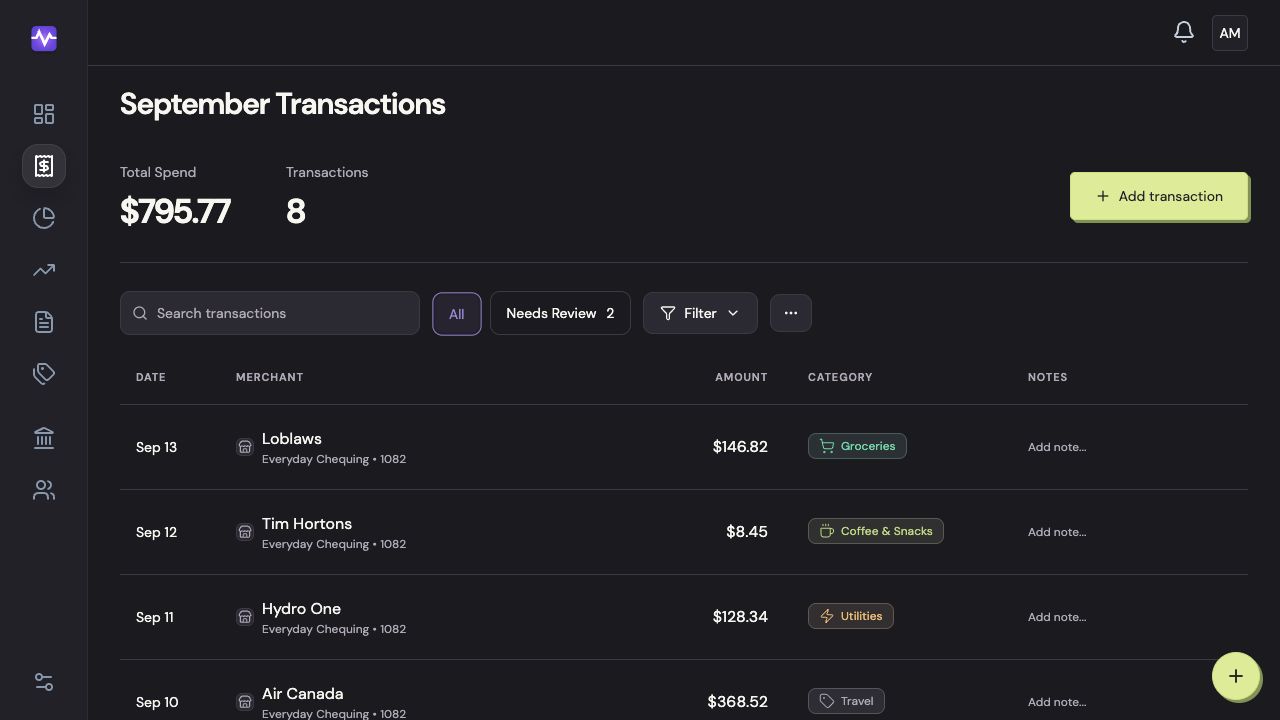
Start a transaction
Click Add transaction above the list.
Start a transactionTap to enlarge Enter the purchase details
Enter the merchant, amount, and date. Add a note if it will help you remember the purchase.
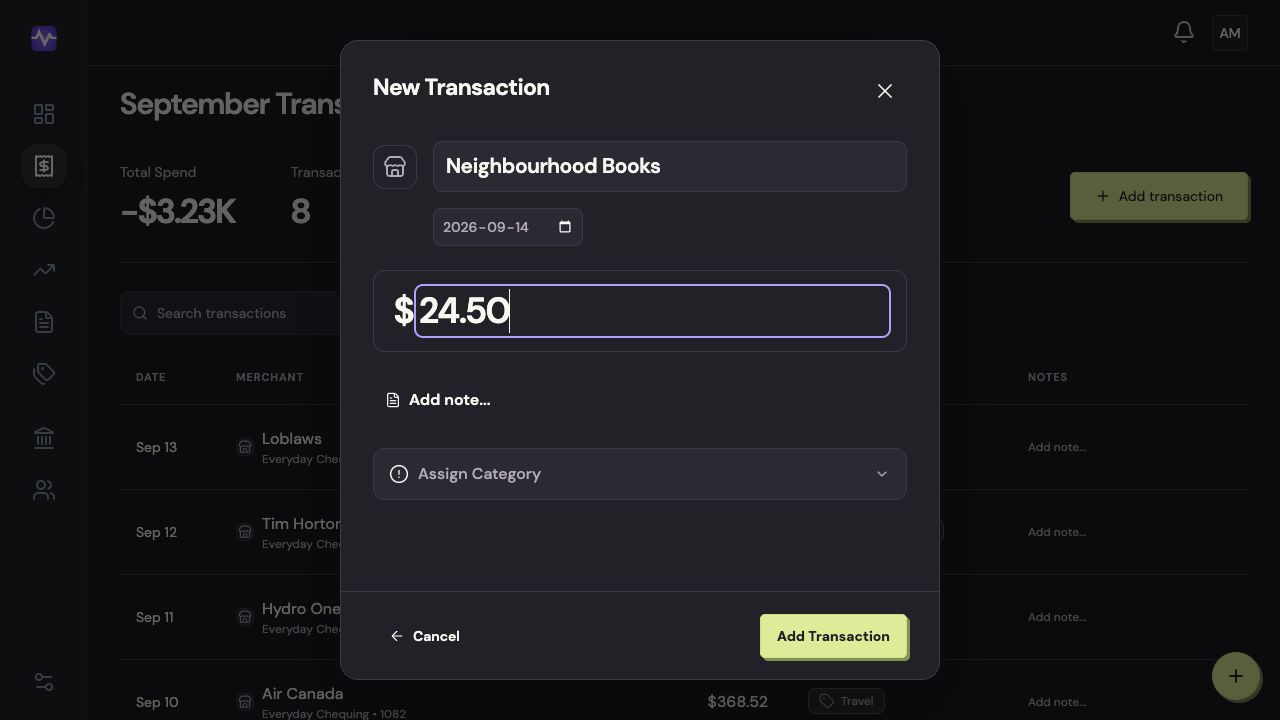
Enter the purchase detailsTap to enlarge Choose its category
Click Assign Category, then search for and choose the category.
Choose its categoryTap to enlarge Add the transaction
Check the date and amount, then click Add Transaction.
Add the transactionTap to enlarge
On iPhone
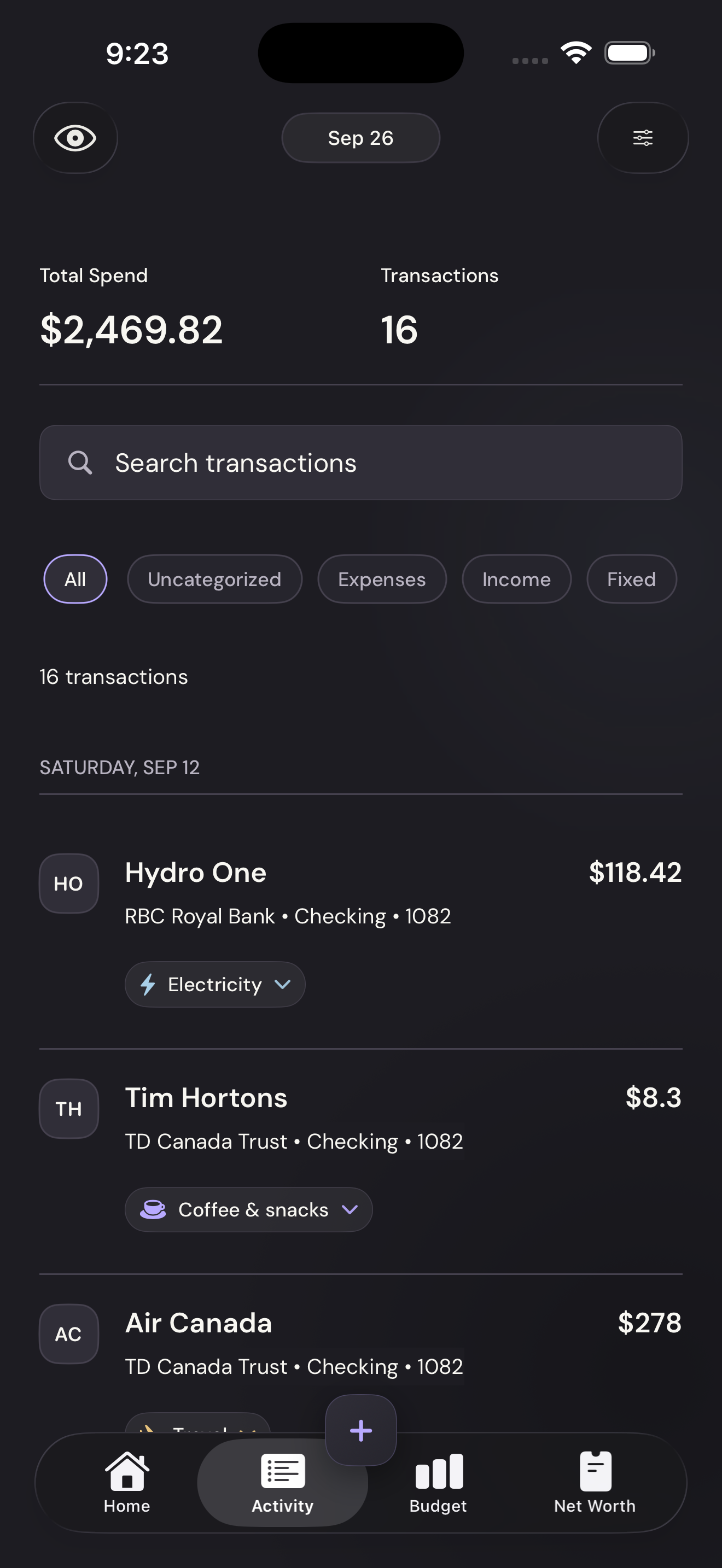
Tap the plus
Use the plus button in the bottom navigation.
Tap the plusTap to enlarge Enter the purchase details
Enter the merchant, amount, and date. Add a note if you need one.
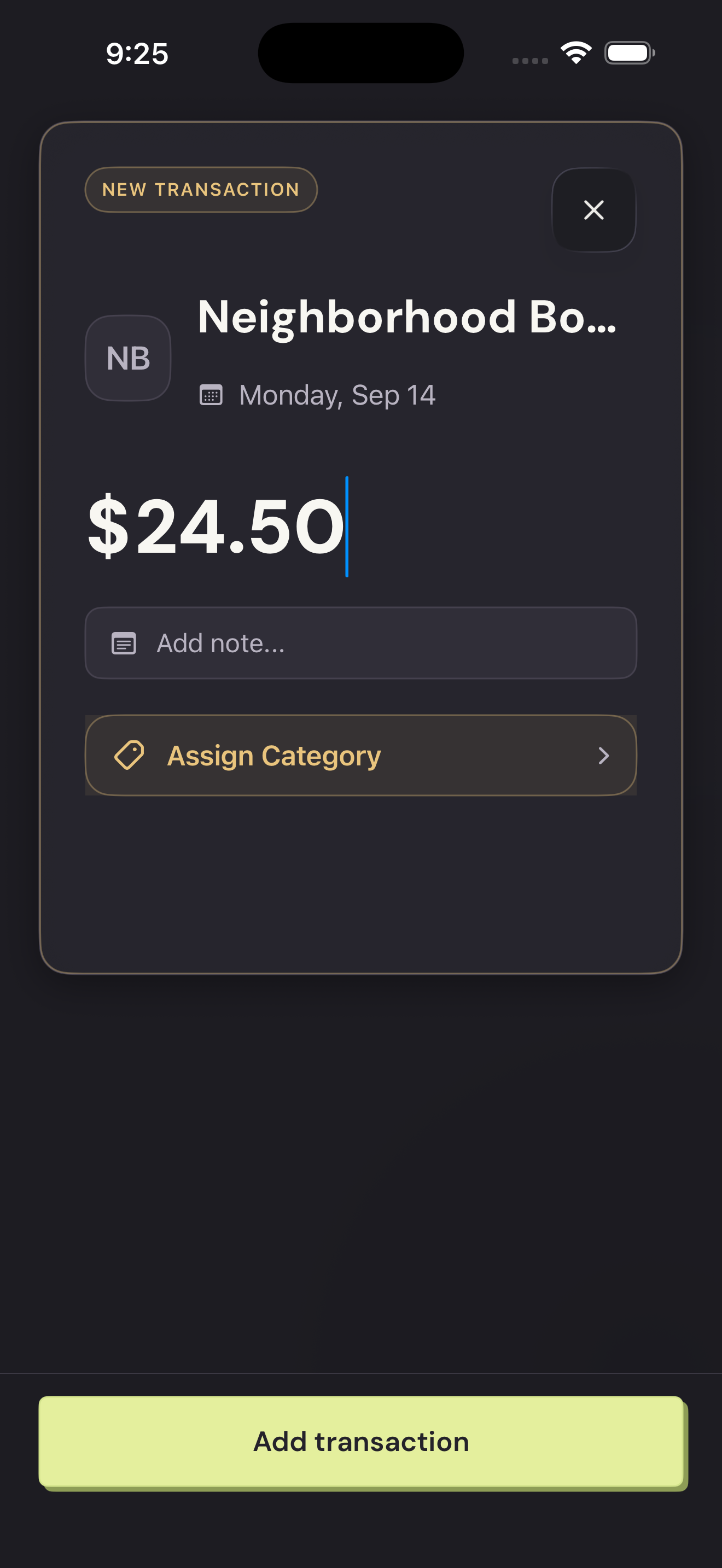
Enter the purchase detailsTap to enlarge Choose a category
Tap Assign Category, then search for and choose the category.
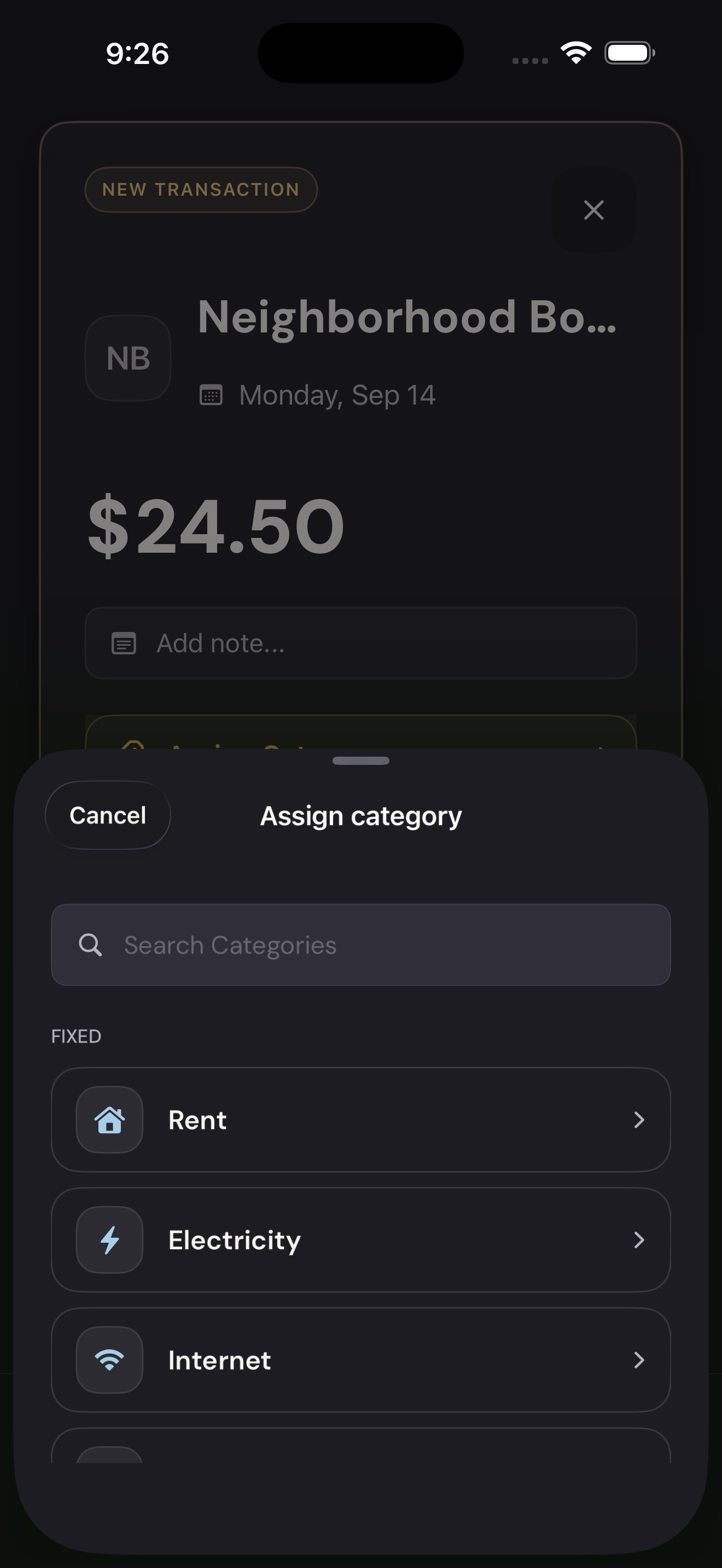
Choose a categoryTap to enlarge Add the transaction
Check the details and tap Add transaction.
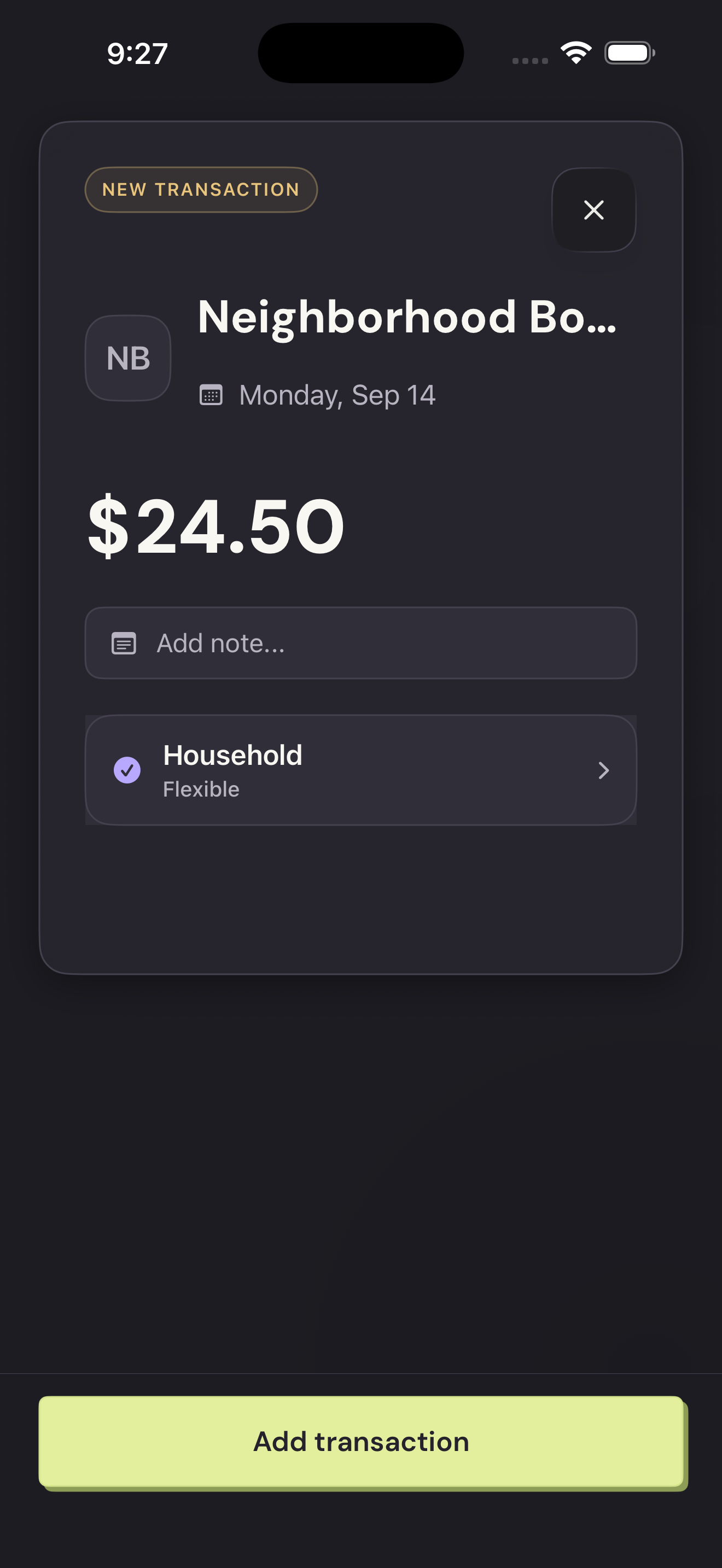
Add the transactionTap to enlarge