
Changing a category changes where Vylo counts the transaction in your spending and budget. It doesn’t change the amount or payment at your bank.
If the category you need is missing, create it first. If the transaction is pending and editing is unavailable, wait for the posted version.
To make the same choice for future purchases, use Remember merchant. Leave it off for a one-time exception.
On the web
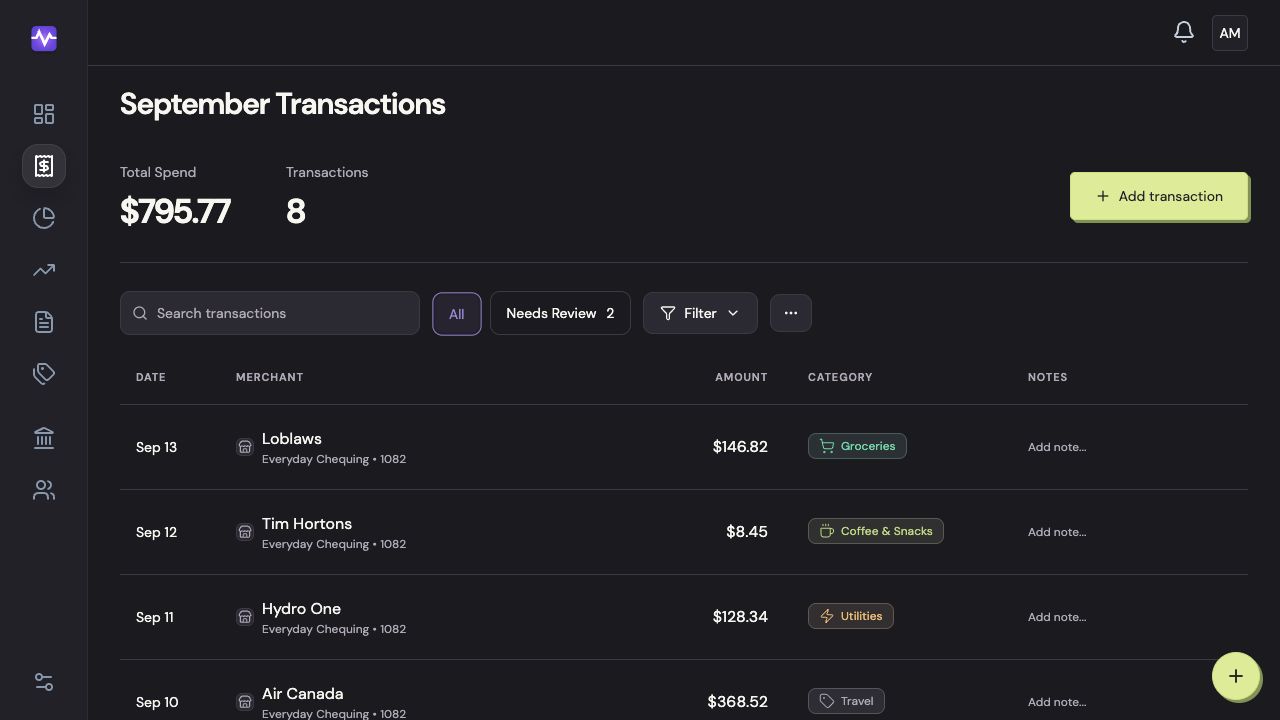
Open Transactions
Choose Transactions in the left navigation.
Open TransactionsTap to enlarge Open the category picker
Click the category on the transaction’s row.
Open the category pickerTap to enlarge Find the right category
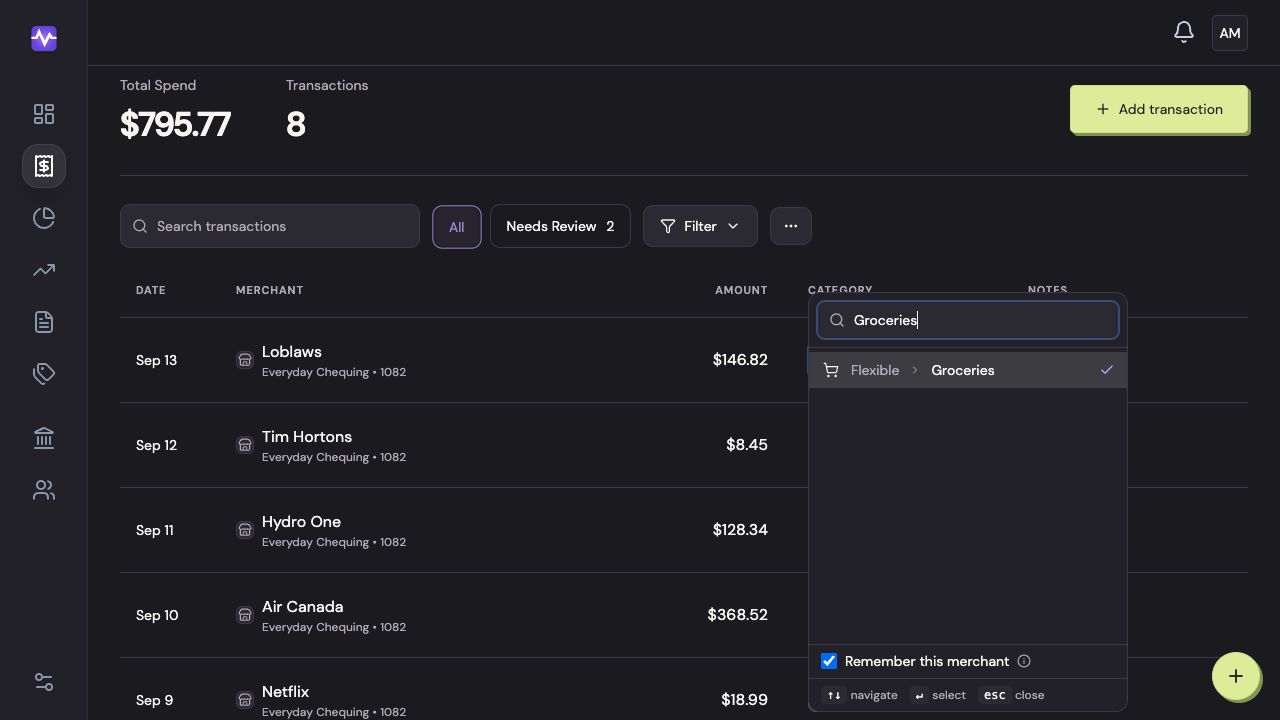
Type part of the category name, then click the matching result.
Find the right categoryTap to enlarge Decide whether to remember the merchant
Leave Remember this merchant checked if future purchases from this merchant should use the same category. Uncheck it for a one-off correction.
Decide whether to remember the merchantTap to enlarge
On iPhone
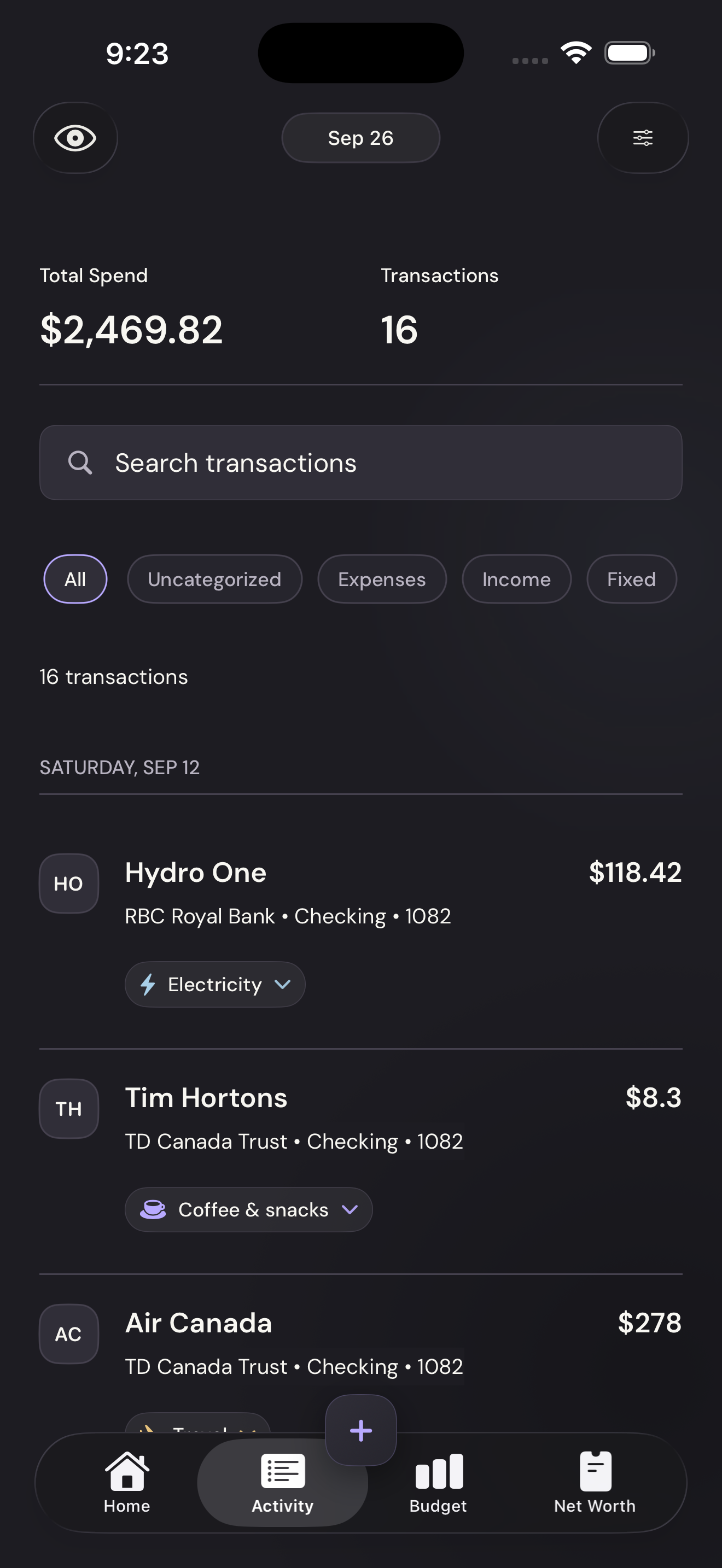
Open Activity
Tap Activity in the bottom navigation.
Open ActivityTap to enlarge Tap the transaction’s category
Tap the category chip beneath the merchant, such as Electricity.
Tap the transaction’s categoryTap to enlarge Choose a category
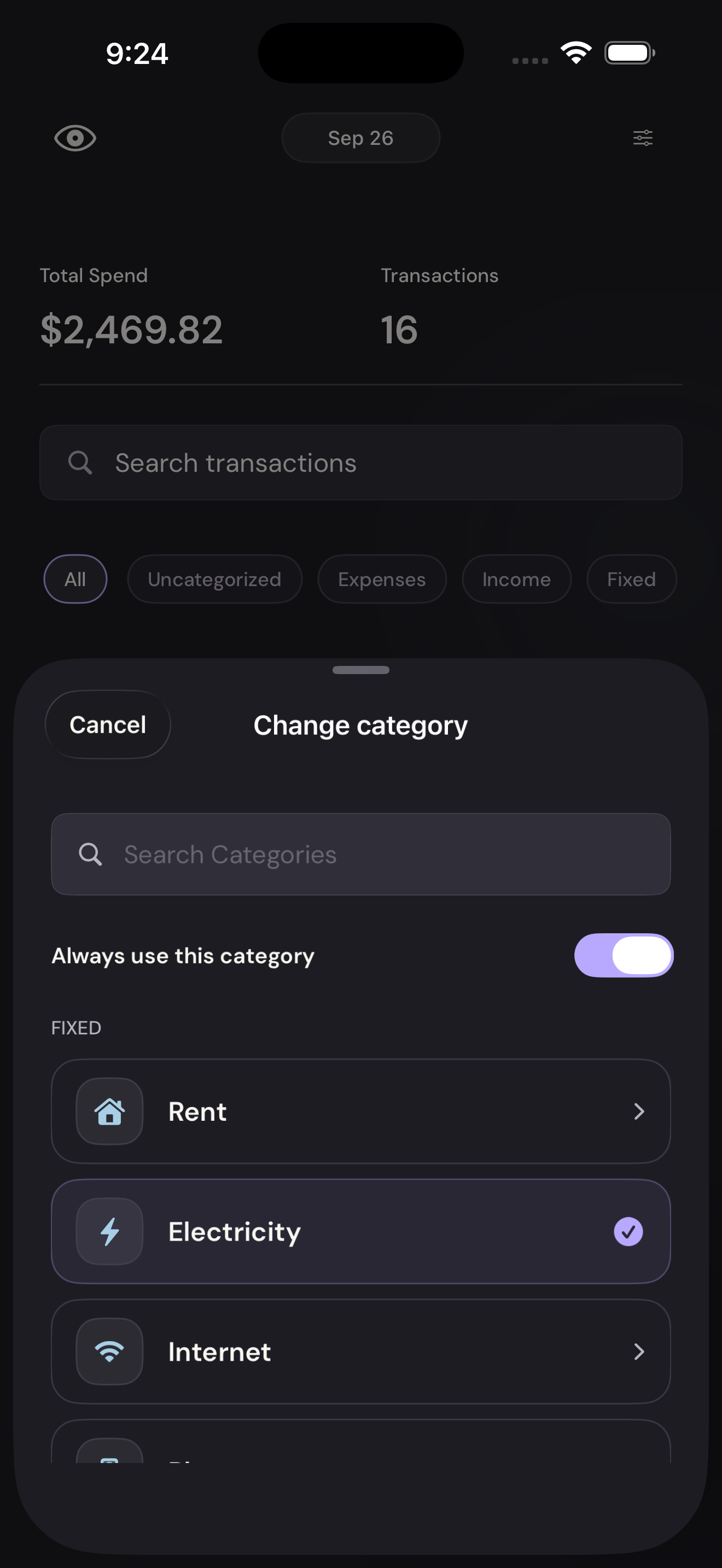
Search for a category or tap one in the list. Turn Always use this category off if the choice should apply only to this transaction.
Choose a categoryTap to enlarge